
The OPLAN Core
The shared foundation every module runs on: master data, flow type, rule engine, plan data bus.
OPLAN CORE is the mandatory, separately licensed core, installed with the first module. Master data, production structure and process flow type, the rule engine, the scenario and version framework, identity and multi-tenancy, KPI infrastructure and the AI service live here. Modules connect through the core's plan data bus, not directly — so a single-module installation works fully.
What you gain with OPLAN
- The flow type sets the capacity unit, batching logic, setup model and scheduling object.
- Unit conversions let pieces, kilograms, tonnes and metres add up in one plan.
How it works
Set up the core for your company.
-
1
Define the production structure
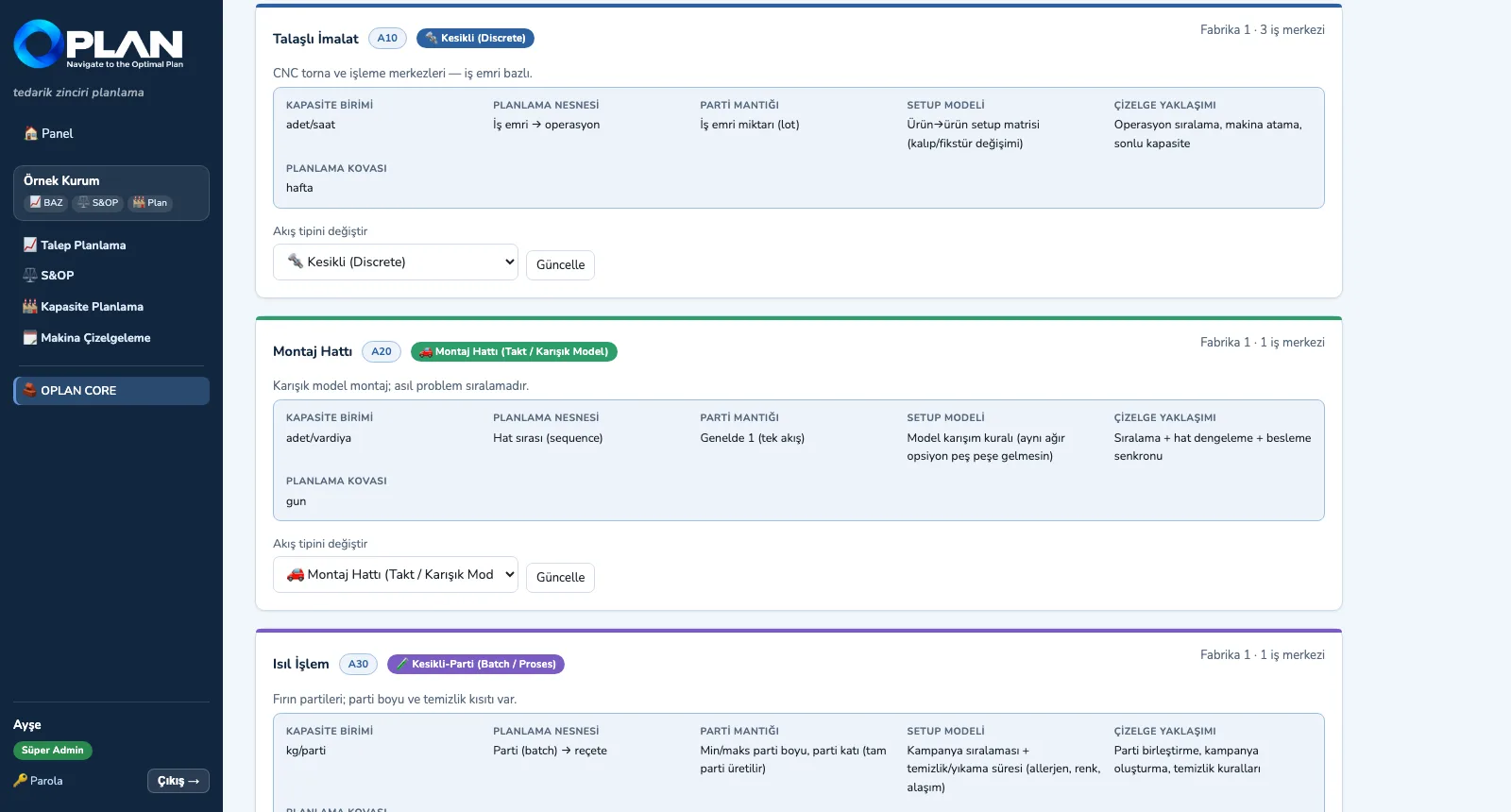
Enter sites, production areas and work centres; each area's flow type sets its capacity unit, batch and setup model.
-
2
Load master data
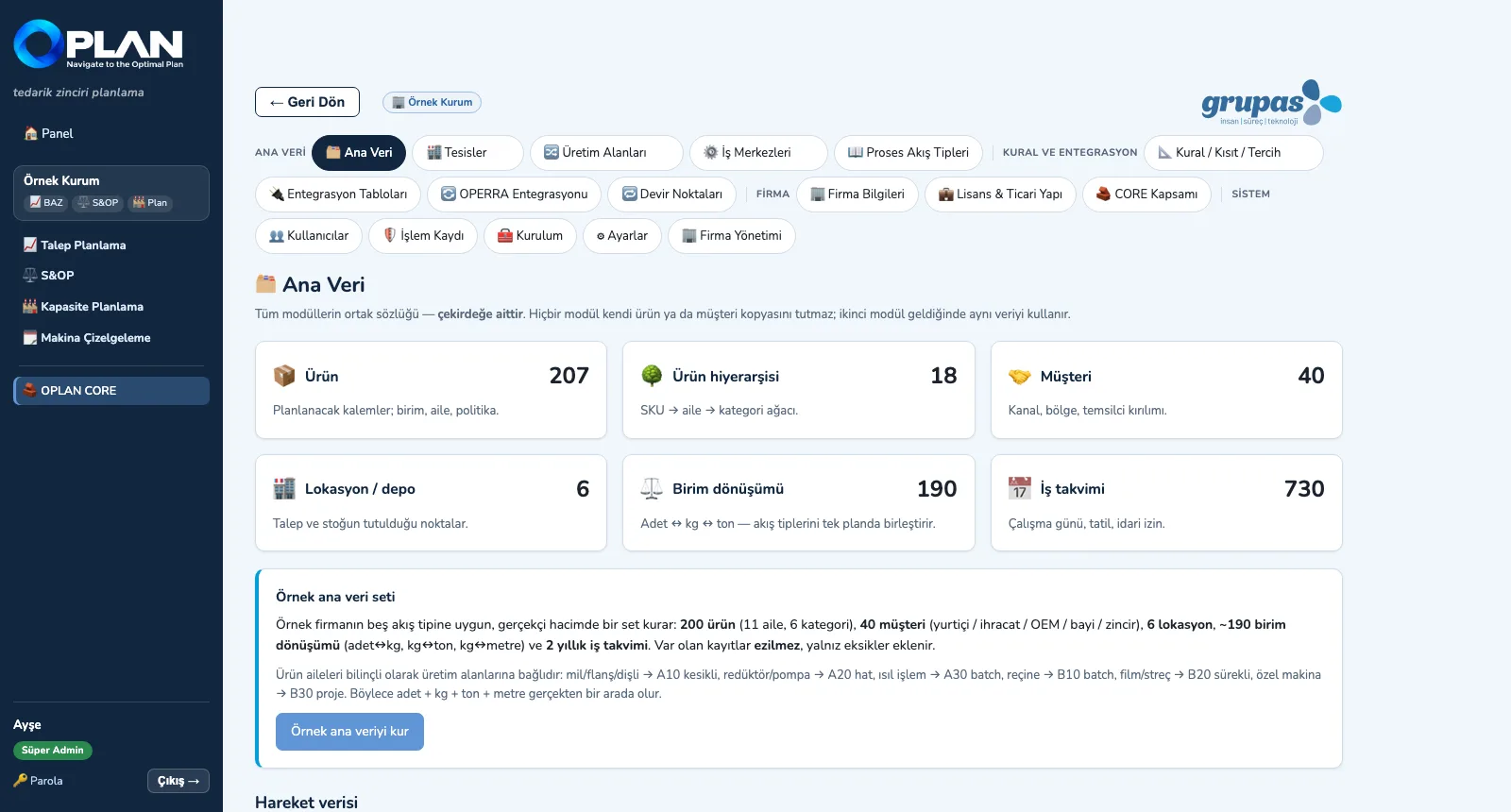
Six entities are managed with one screen layout; CSV column names match the integration contract, so a file from the ERP loads directly.
-
3
Set the rules
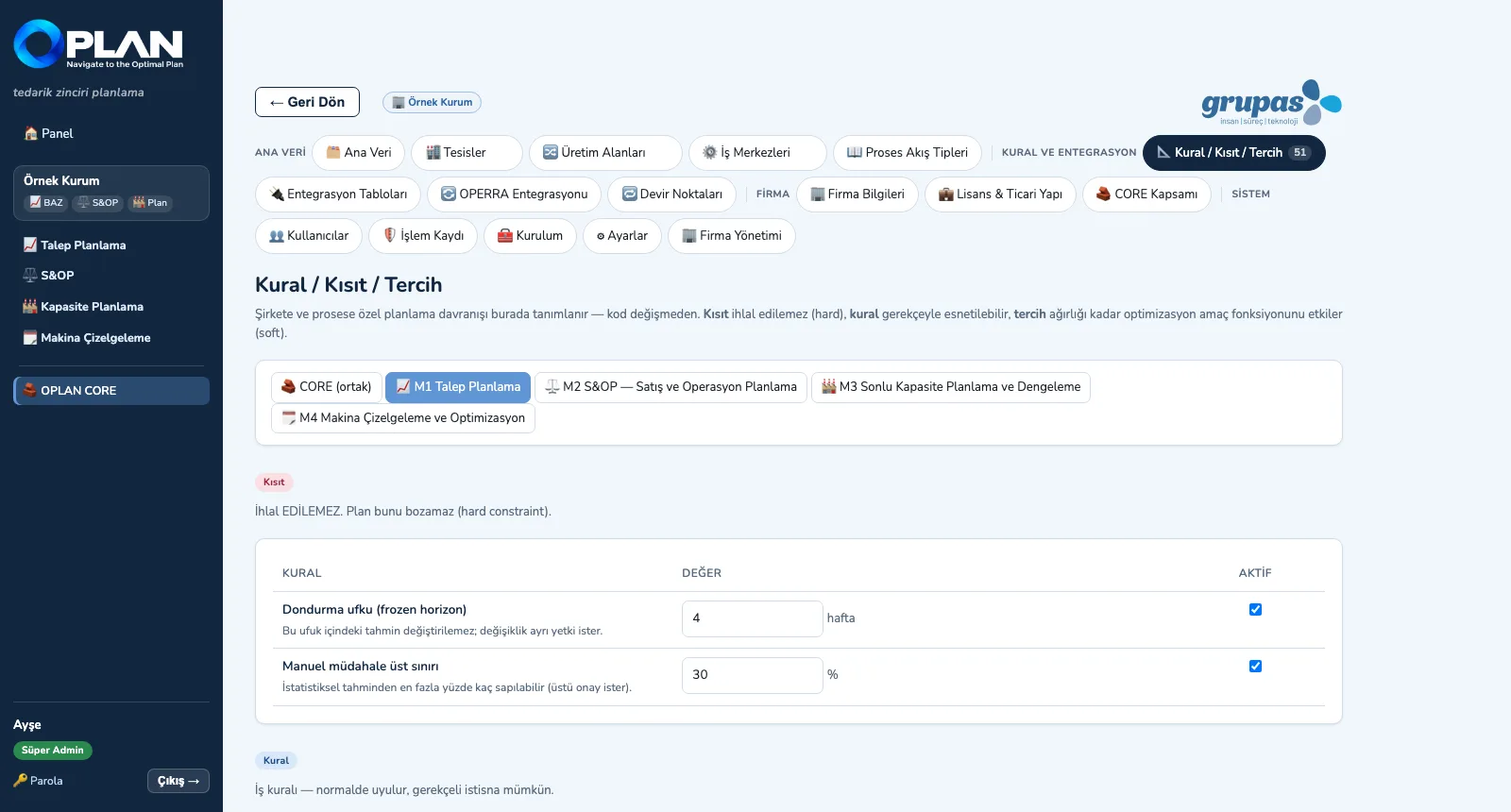
Frozen horizon, capacity ceiling, shift limits, dispatching rule … module by module as constraints, rules and preferences.
-
4
See the hand-over points
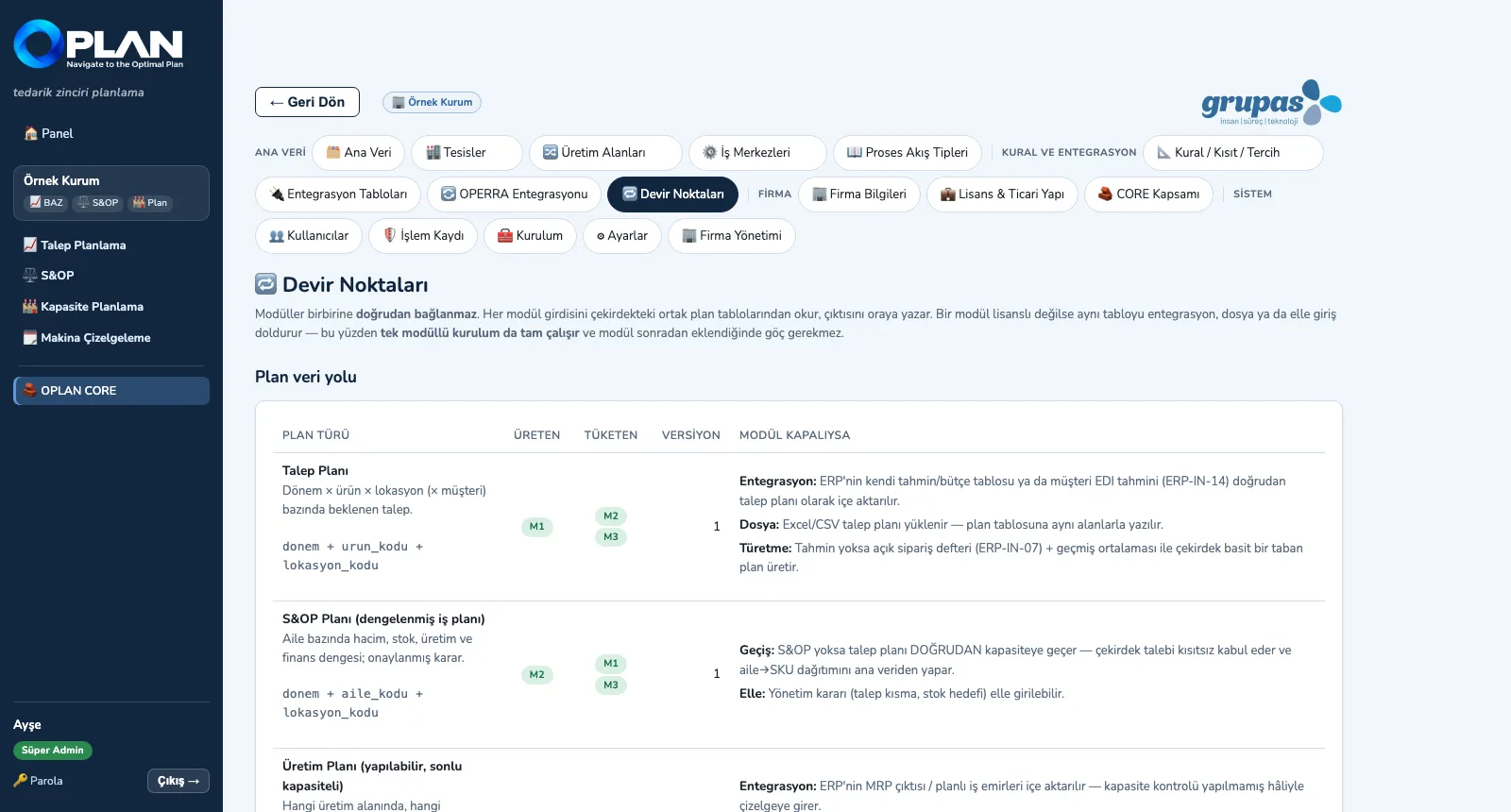
Which plan is produced and consumed by whom, and how the table fills when a module is missing — on one screen.
Screens are shown with sample plant data; the application interface is in Turkish.
Purpose
To make every module speak the same vocabulary and let company- and process-specific behaviour be defined without code changes.
Features
- Production structure: Site → Production Area → Work Centre; the process flow type is chosen per area (discrete, batch, continuous, assembly line, project / ETO)
- Master data: items and hierarchy, customers, locations / warehouses, unit conversions, working calendar — manual entry, search, CSV template, upload and download
- Rule engine: constraint (cannot be broken), rule (can be relaxed with a reason), preference (weighted); a ready rule catalogue per module
- Plan data bus and hand-over points: demand, S&OP and production plans in shared tables; a missing module is replaced by integration, a file or manual entry
- Identity and multi-tenancy: company separation, seven roles, per-module license control and an activity log
Benefits
- Discrete, batch and continuous areas are planned side by side in the same plant
- Adding a module later needs no data migration
- Company-specific rules are defined without code changes
Who uses it
Planning managers, system administrators, master-data and IT teams, the implementation team.