
Integration and OPERRA
A field-by-field data contract with ERP and MES; files, REST API and OPERRA.
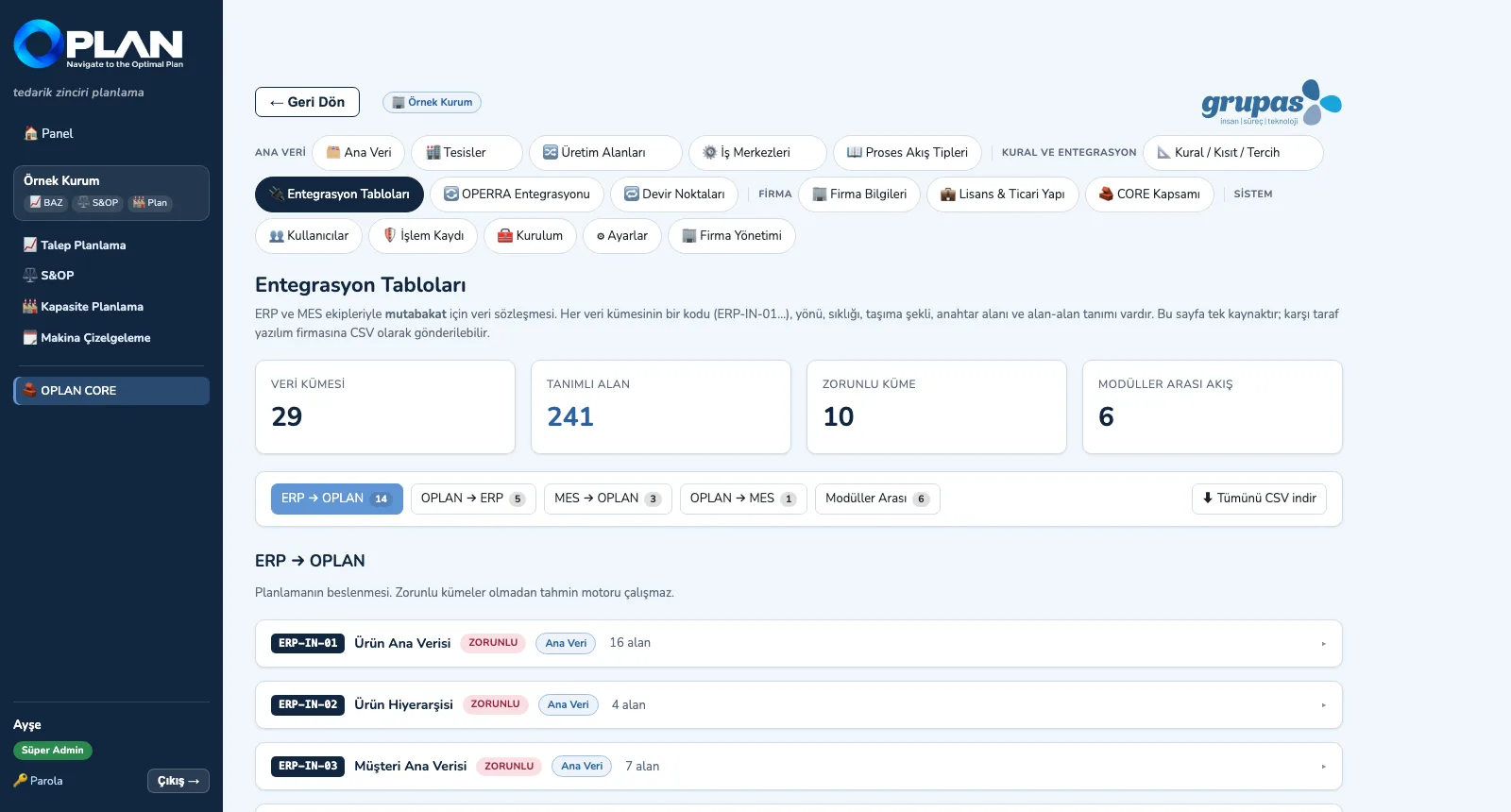
The integration layer defines 29 data sets and 241 fields in one contract: ERP → OPLAN (14), OPLAN → ERP (5), MES → OPLAN (3), OPLAN → MES (1) and between modules (6). Each set — with its code, direction, frequency, transport and fields — is sent as CSV to the other side's software team; data arrives by file, REST API or manual entry.
What you gain with OPLAN
- Generic CSV / Excel and REST API are included in the core; an ERP- or MES-specific connector is quoted as a separate item.
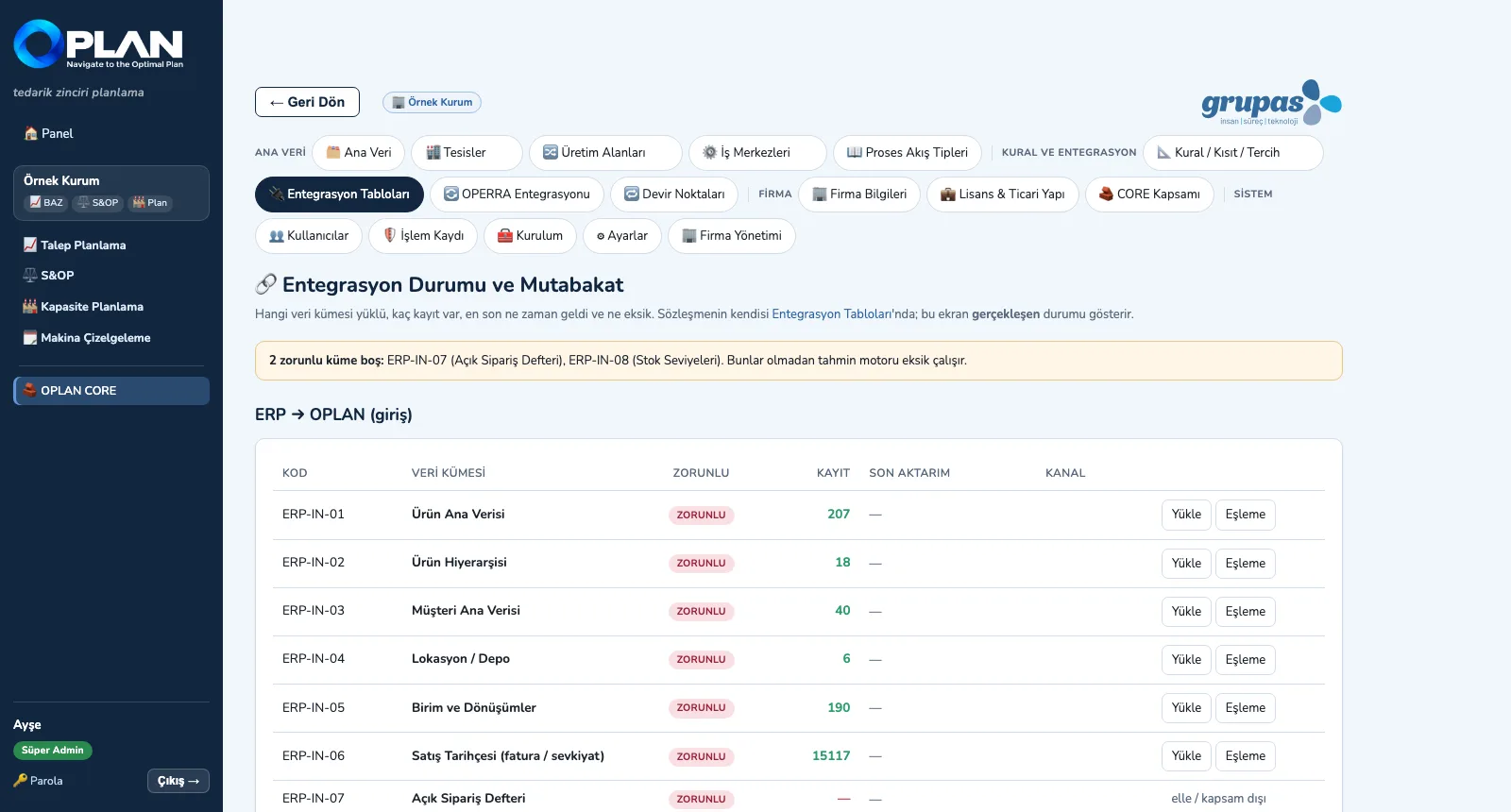
- The status screen shows each set's record count, last transfer and channel; transfers are logged.
How it works
Share the contract, map the fields, monitor the data.
-
1
Share the contract
The 29 sets, filtered by direction, open with their fields; send them all to the ERP / MES team as one CSV.
-
2
Map the fields
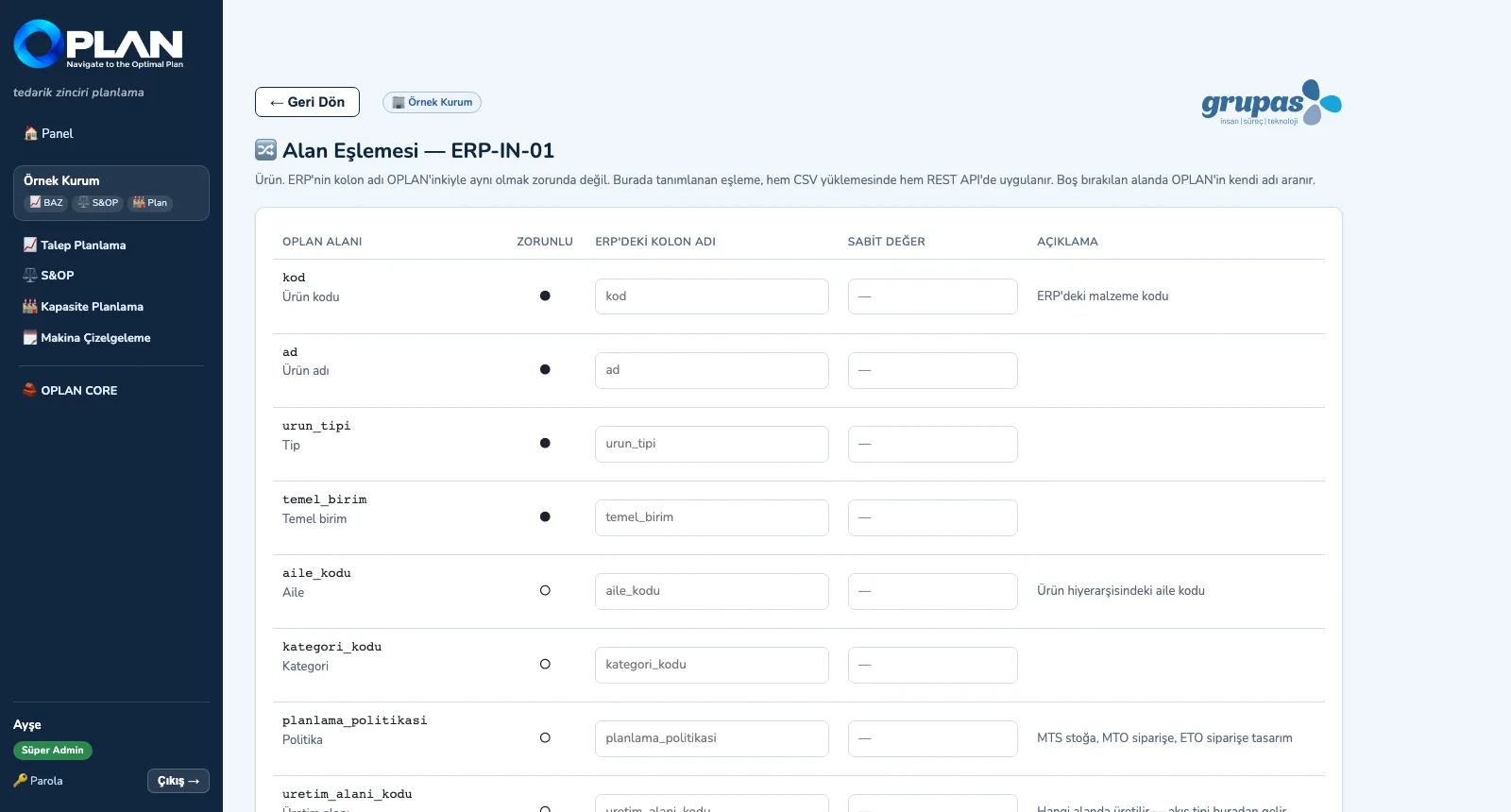
Next to each OPLAN field, enter the ERP's column name or a fixed value; where left blank, OPLAN's own name is used.
-
3
Monitor the status
Which set is loaded, how many records, when it last arrived; empty mandatory sets are flagged at the top.
Screens are shown with sample plant data; the application interface is in Turkish.
Purpose
To make reconciliation with the ERP / MES side easy and keep planning running on current, complete data.
Features
- Integration tables: set code (ERP-IN-01 …), purpose, mandatory flag, frequency, transport, key field and field-by-field definition; all downloadable as CSV
- Transport options: CSV / Excel file, REST API (JSON), database view or manual entry
- Field mapping: the ERP column name and a fixed value; the mapping applies to both CSV uploads and the REST API
- Token-protected REST API: read / write input sets, fetch the approved demand plan and the other output sets
- OPERRA integration: master data, order book and work orders are pulled one way from OPERRA; if OPERRA is down, OPLAN keeps running on the data it has
Benefits
- The other side's software team knows field by field what to send
- Missing mandatory sets are visible before planning
- The ERP's own column names are used as they are
Who uses it
IT and ERP teams, ERP / MES software vendors, master-data owners, the implementation team.