
Finite Capacity Planning
A feasible weekly plan: which machine, which week, how much — and what was done when it did not fit.
Finite Capacity Planning breaks the approved S&OP (or else the demand plan) down to SKUs, splits it into weeks, batches it by flow type (batch multiples, minimum continuous campaigns, discrete MOQ), loads it onto work centres through multi-operation routings and balances with finite capacity: pull forward → alternative machine → push back. No cell exceeds 100%; work that does not fit is reported openly.
What you gain with OPLAN
- Balancing order: pull forward → alternative machine → push back; work is split to fit the free capacity when needed.
- In an overloaded cell, the smallest set of operations that must move to bring it back to capacity is highlighted.
How it works
Build the plan, see the bottleneck, check material and shipping.
-
1
Read the load board
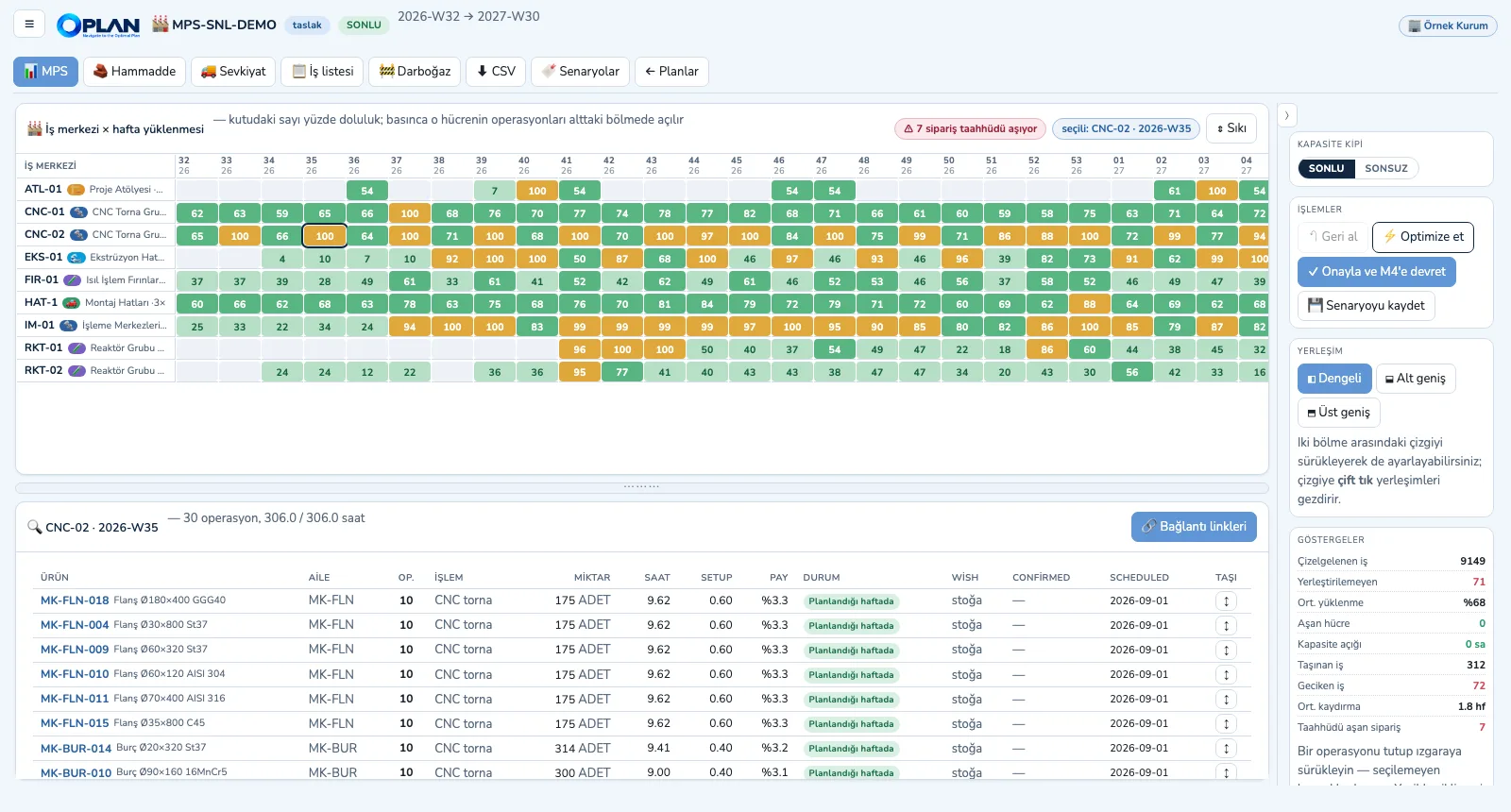
Each box is one work centre × week; click it and the operations in that cell are listed below, ready to be dragged to another cell.
-
2
Report the bottleneck
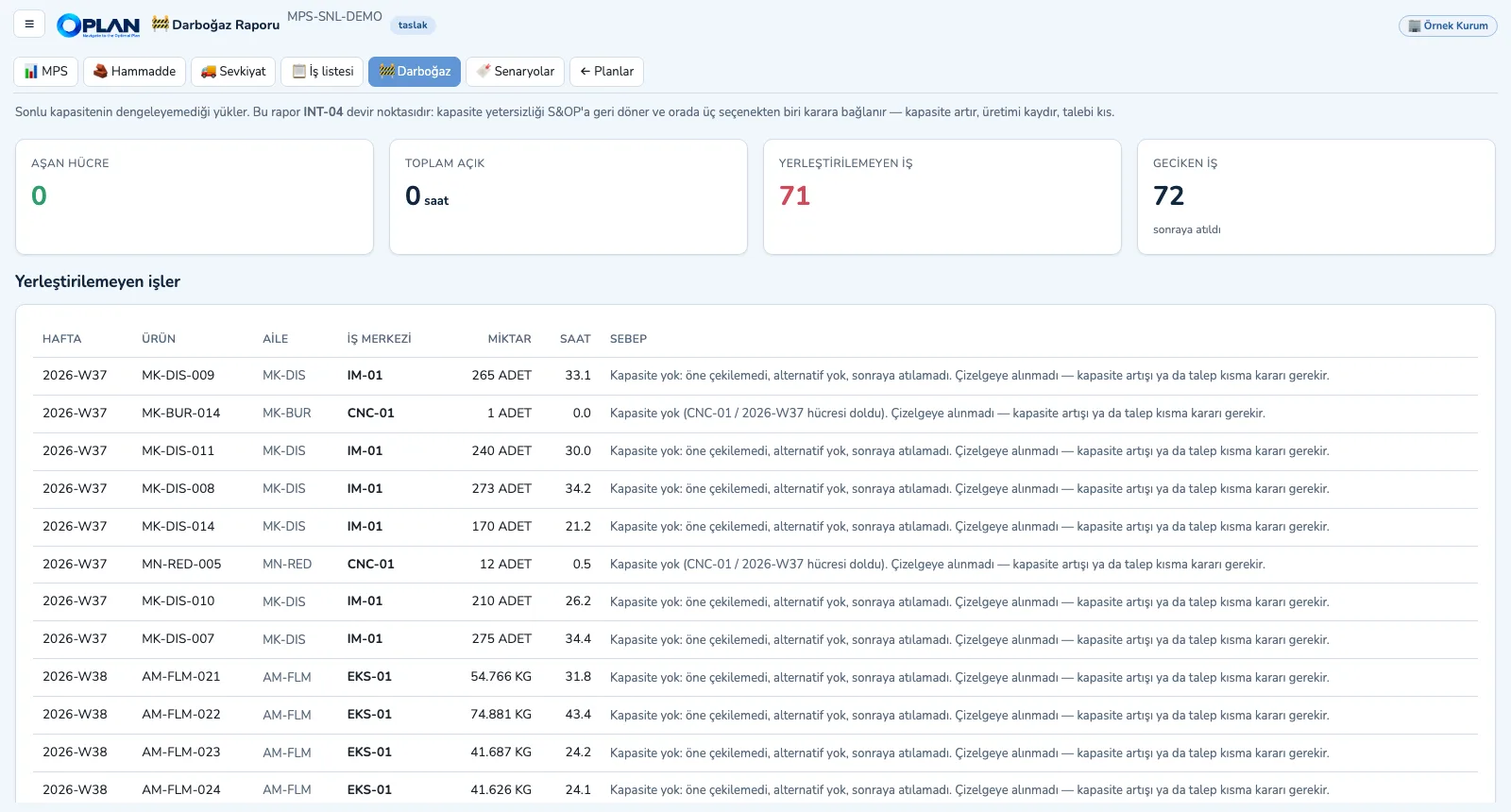
Work that could not be pulled forward, has no alternative and could not be pushed back is listed with the reason and goes back to S&OP.
-
3
Check raw materials
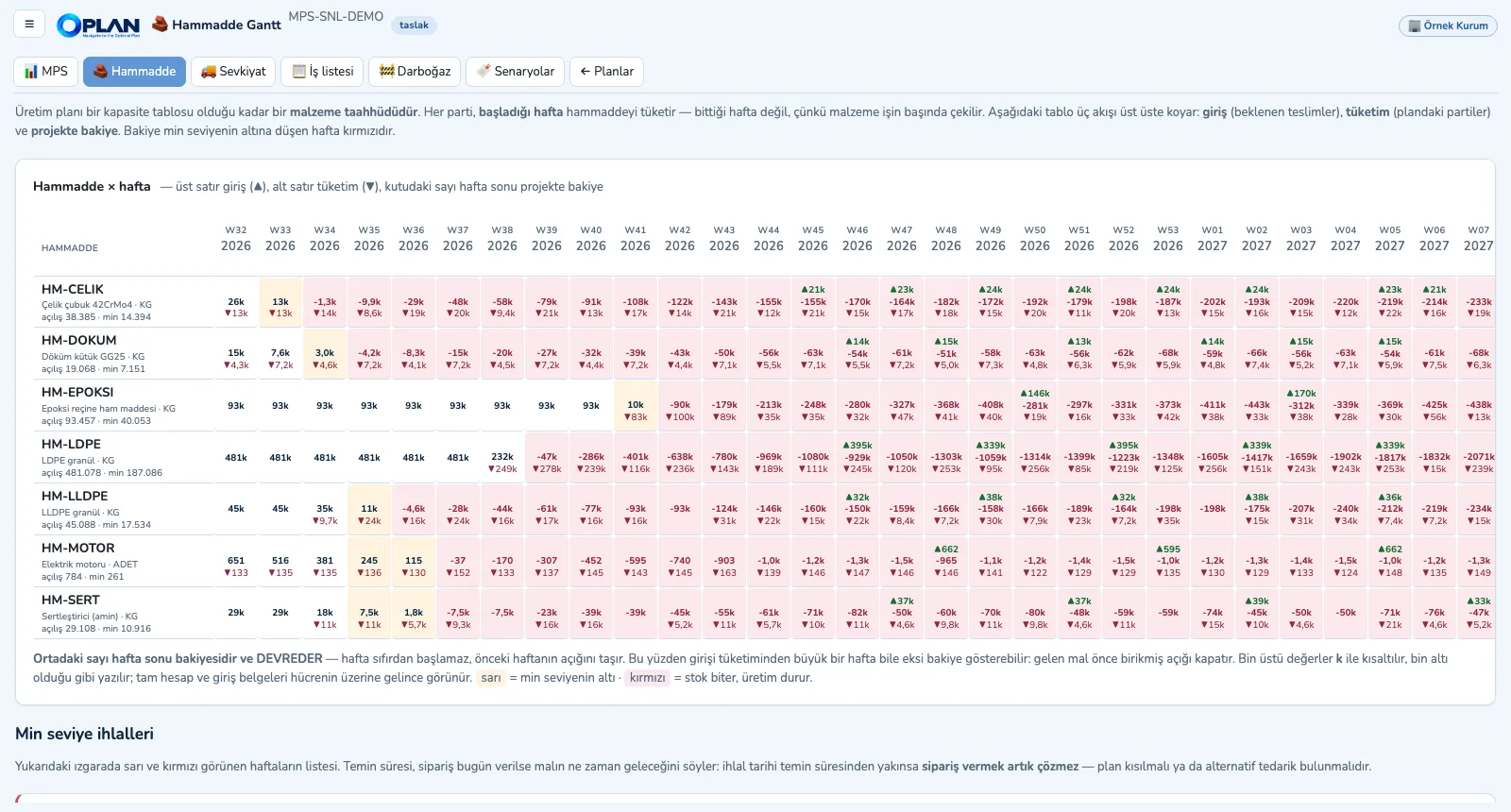
The plan consumes material in the week a batch starts; receipts, consumption and projected balance per week, minimum-level breaches in red.
-
4
Plan shipments
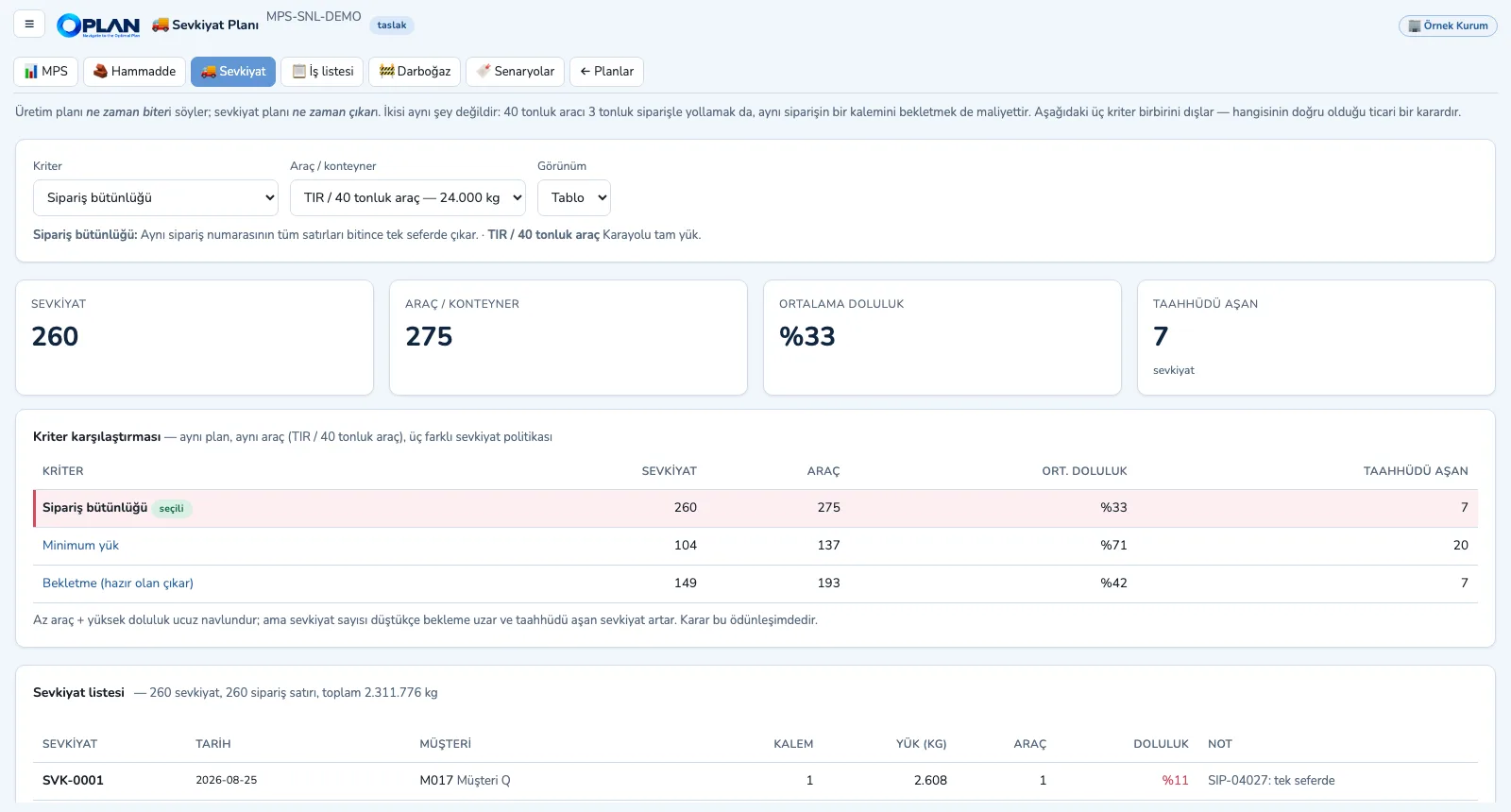
Shipments are formed by order completeness, minimum load or hold-back criterion and by vehicle type; fill rate and late promises are compared side by side.
Screens are shown with sample plant data; the application interface is in Turkish.
Purpose
To make sure the plan released to production is really feasible, and to bring capacity gaps to the table without hiding them.
Features
- Work centre × week load board: boxes coloured by load band, cell drill-down with item, operation and share of hours, and the batch's chain across other machines
- Finite and infinite mode: finite gives the feasible plan, infinite shows the raw capacity need (for investment, shift and outsourcing decisions)
- Drag-and-drop and manual moves: an off-routing machine, operation precedence or unavailable material BLOCKS; capacity overload and shift limits WARN; undo
- Bottleneck report, raw-material Gantt (receipts, consumption, projected balance, minimum-level breaches) and shipment plan (by criterion and vehicle type)
- Scenario saving and KPI comparison, the published master production schedule (MPS), approval and hand-over to Machine Scheduling; CSV
Benefits
- What is physically impossible is blocked; planning choices are only warned
- Work that does not fit never slips into the plan; it stays in the report
- Planners cannot schedule work before its material arrives
Who uses it
Production planners, planning managers, production and plant managers, purchasing and logistics.