
S&OP — Sales and Operations Planning
Balance demand against capacity, inventory and finance in one table.
S&OP builds a 3–18-month business plan at product-family level: demand → production plan (chase, level or mixed strategy) → inventory projection → rough-cut capacity → financial bridge → balancing decision. When capacity falls short, the constrained demand shows in its own column — "planned but cannot make" is never hidden.
What you gain with OPLAN
- The planning unit is the product family; SKU detail stays in Demand Planning.
- Without Demand Planning, the demand plan arrives in the same table from integration or a file.
How it works
Build an S&OP cycle and balance it through four views.
-
1
Build the cycle
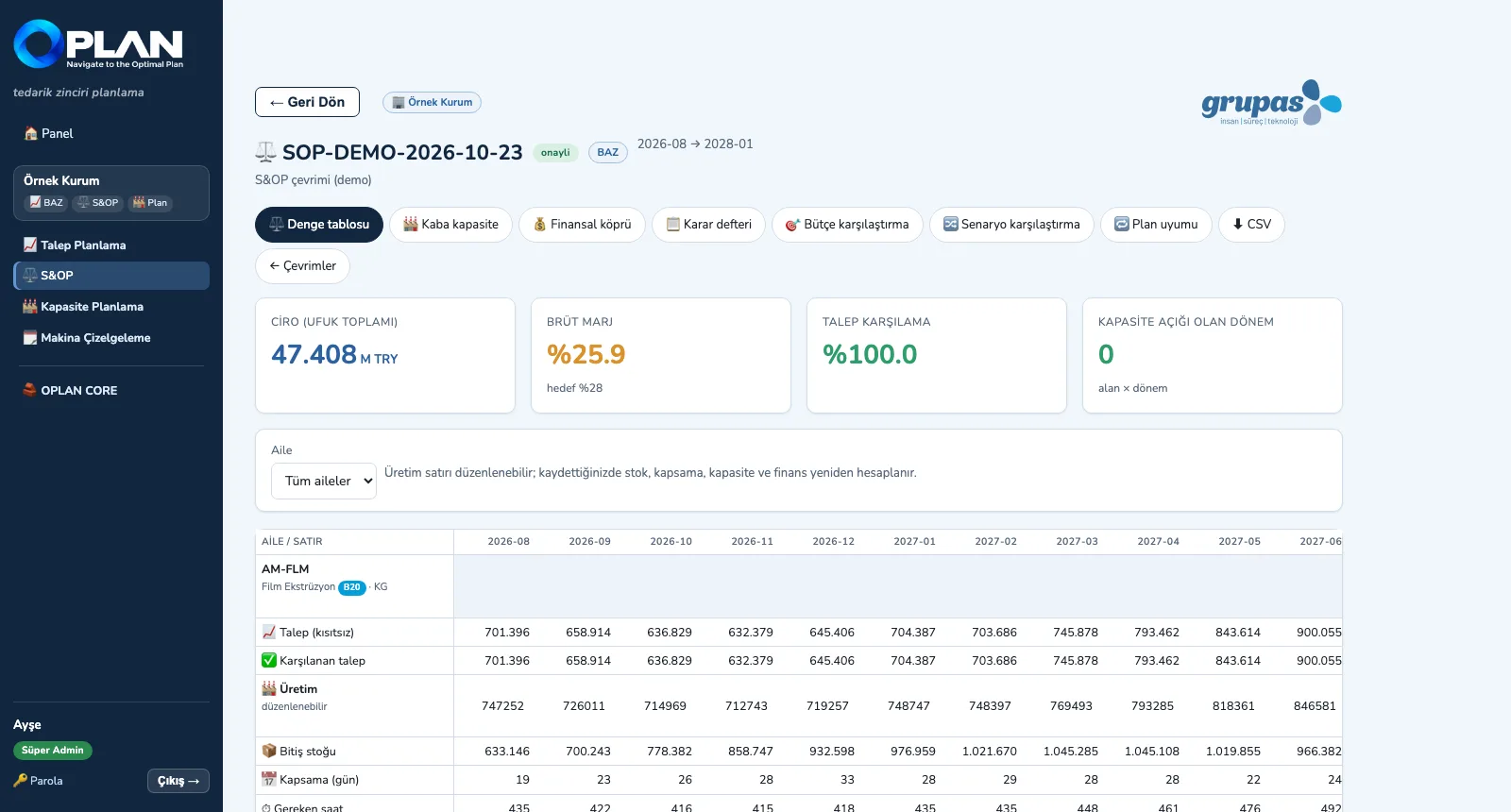
Select the demand version; OPLAN aggregates it to family level and builds the production plan, the inventory projection and days of cover.
-
2
Check capacity
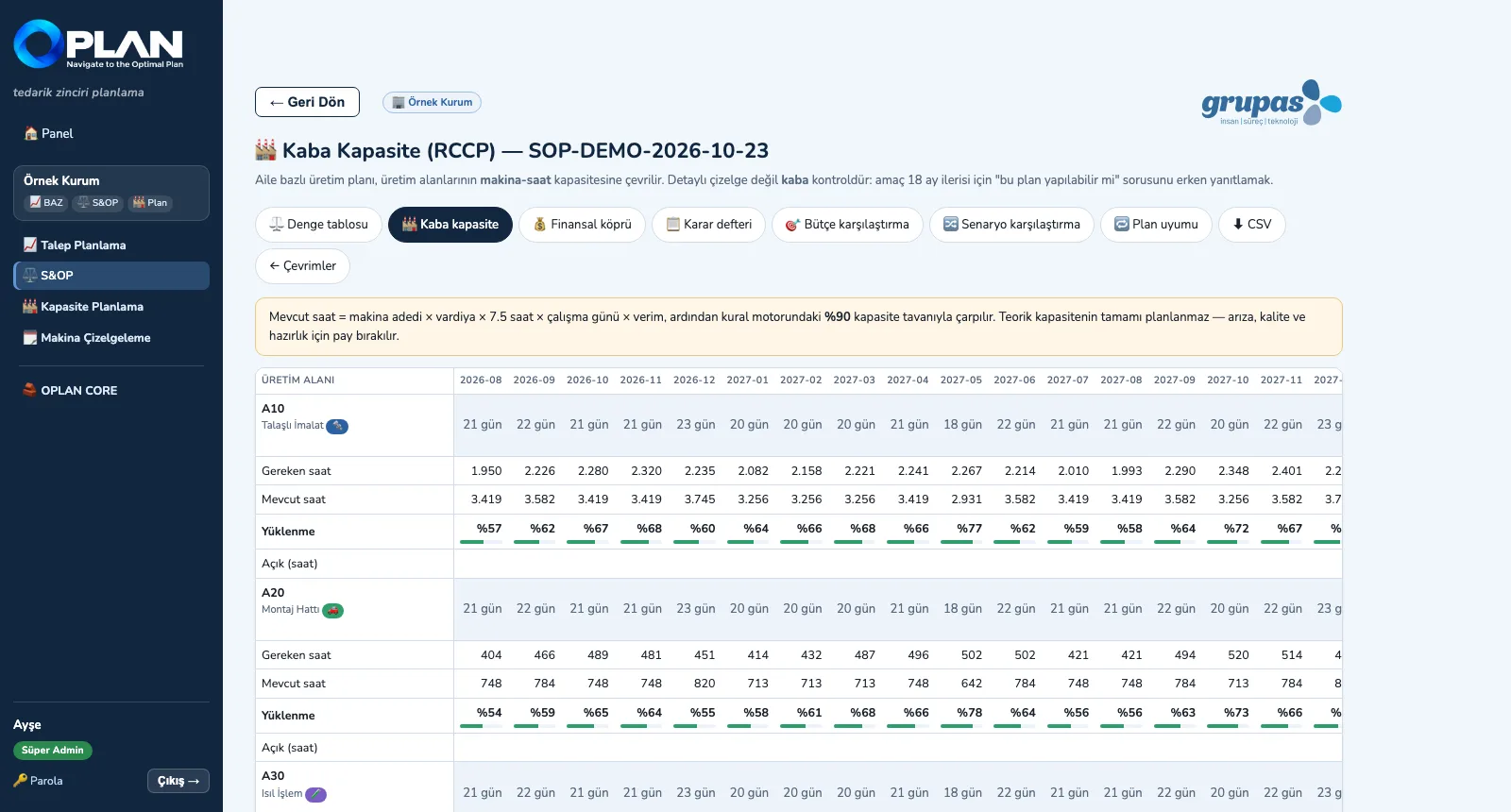
Family production is converted into machine hours; load and open hours by production area × month are visible 18 months ahead.
-
3
Talk in money
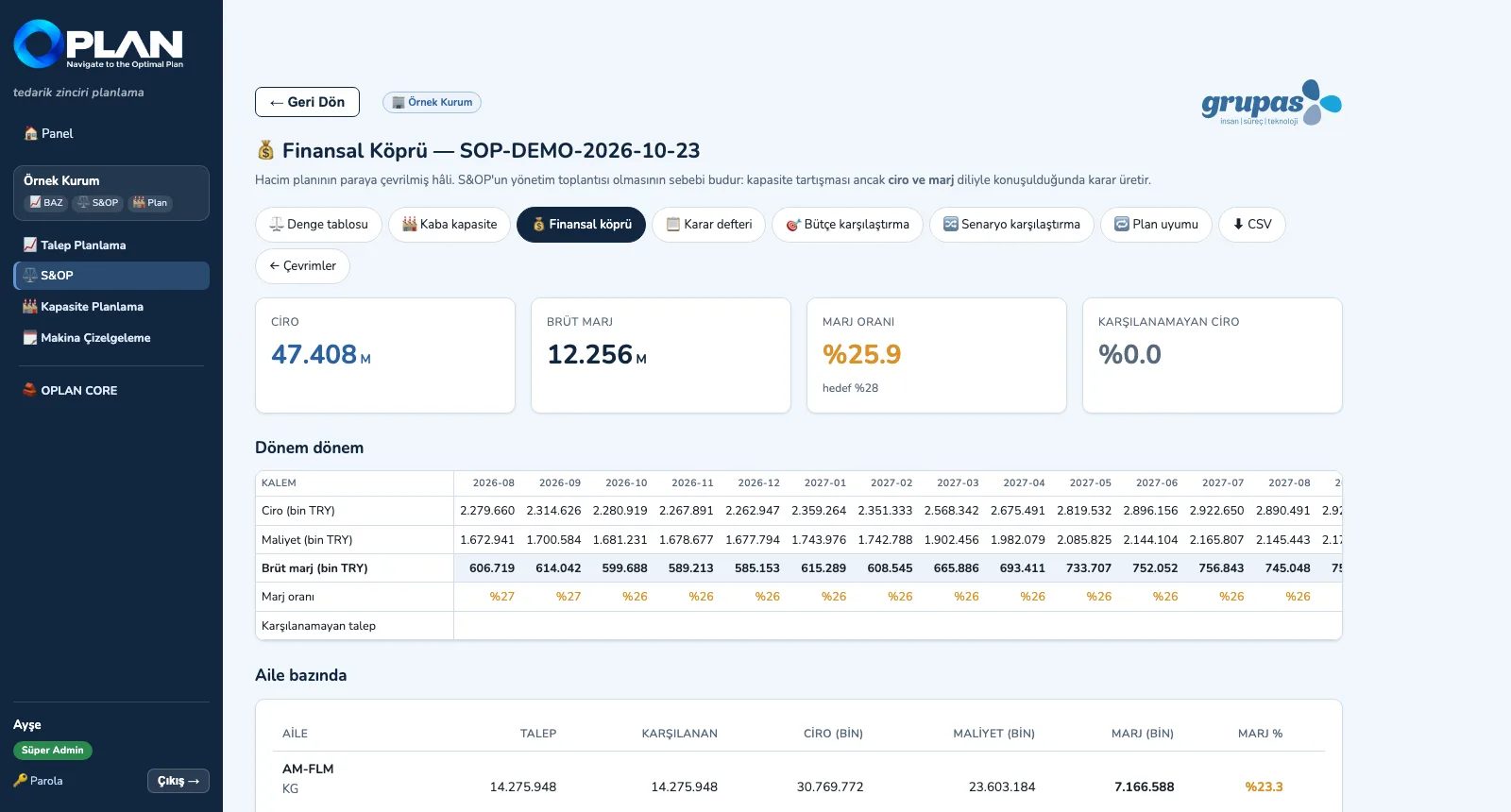
The volume plan is converted into revenue, cost and margin — a financial bridge by period and by family.
-
4
Compare with the budget
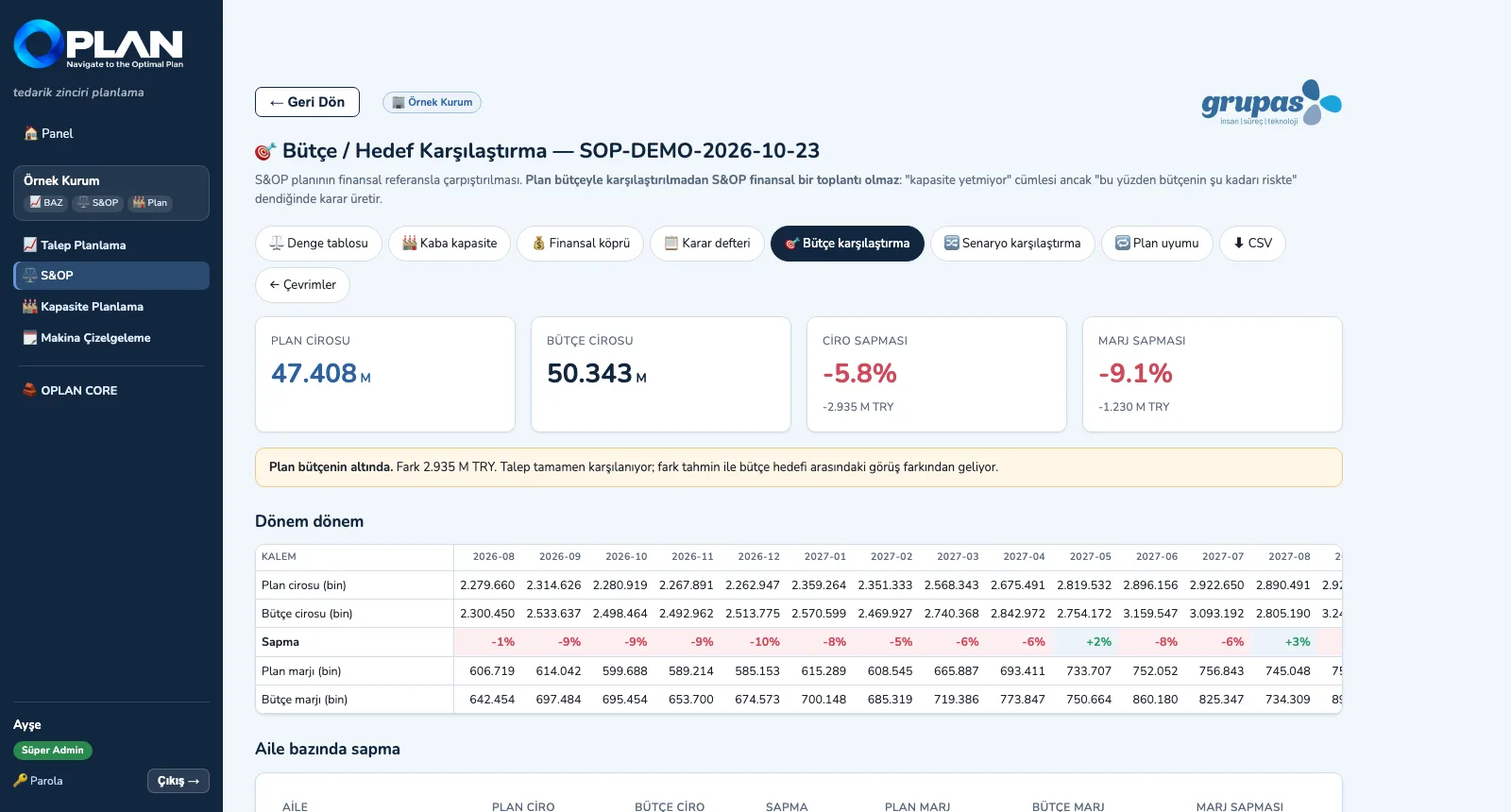
Plan revenue and margin are compared with the budget by period and family; the source of the gap is spelled out.
Screens are shown with sample plant data; the application interface is in Turkish.
Purpose
To run the monthly balancing meeting where sales, operations and finance discuss the same numbers and record their decisions.
Features
- Balance table: demand, fulfilled demand, production, ending stock and days of cover by family × period; the production row is editable and the chain recalculates
- Rough-cut capacity (RCCP): required / available hours and load by production area × period, against the capacity ceiling from the rule engine
- Financial bridge: revenue, cost, gross margin and unserved revenue by period and family
- Budget / target comparison, scenario comparison (what breaks in which scenario) and plan stability (churn) across consecutive cycles
- Decision log (who, what, by when) and an AI-drafted S&OP meeting summary; the approved plan is written to the core's plan data bus
Benefits
- Capacity gaps are visible before the meeting
- Decisions are discussed in revenue and margin as well as volume
- Deviation from budget reads by period and family
Who uses it
S&OP leads, planning managers, sales, production and finance managers, top management.