
Machine Scheduling
Which job, on which machine, in which order, at what time.
Machine Scheduling moves from the capacity plan's weekly bucket to the hour: each machine unit is its own lane, and operations are sequenced forward with finite capacity. Setup time depends on the product sequence (directional changeover matrix); warm-up, cool-down, transport times between operations and the working calendar are taken into account.
What you gain with OPLAN
- Work orders and operations to schedule come from the OPERRA integration; the approved schedule is the data set for the MES (MES-OUT-01).
- When a rule, intermediate operation or changeover time changes, the schedule is rebuilt.
How it works
Build the schedule, define changeovers and intermediate operations, read the ship date.
-
1
Build the schedule
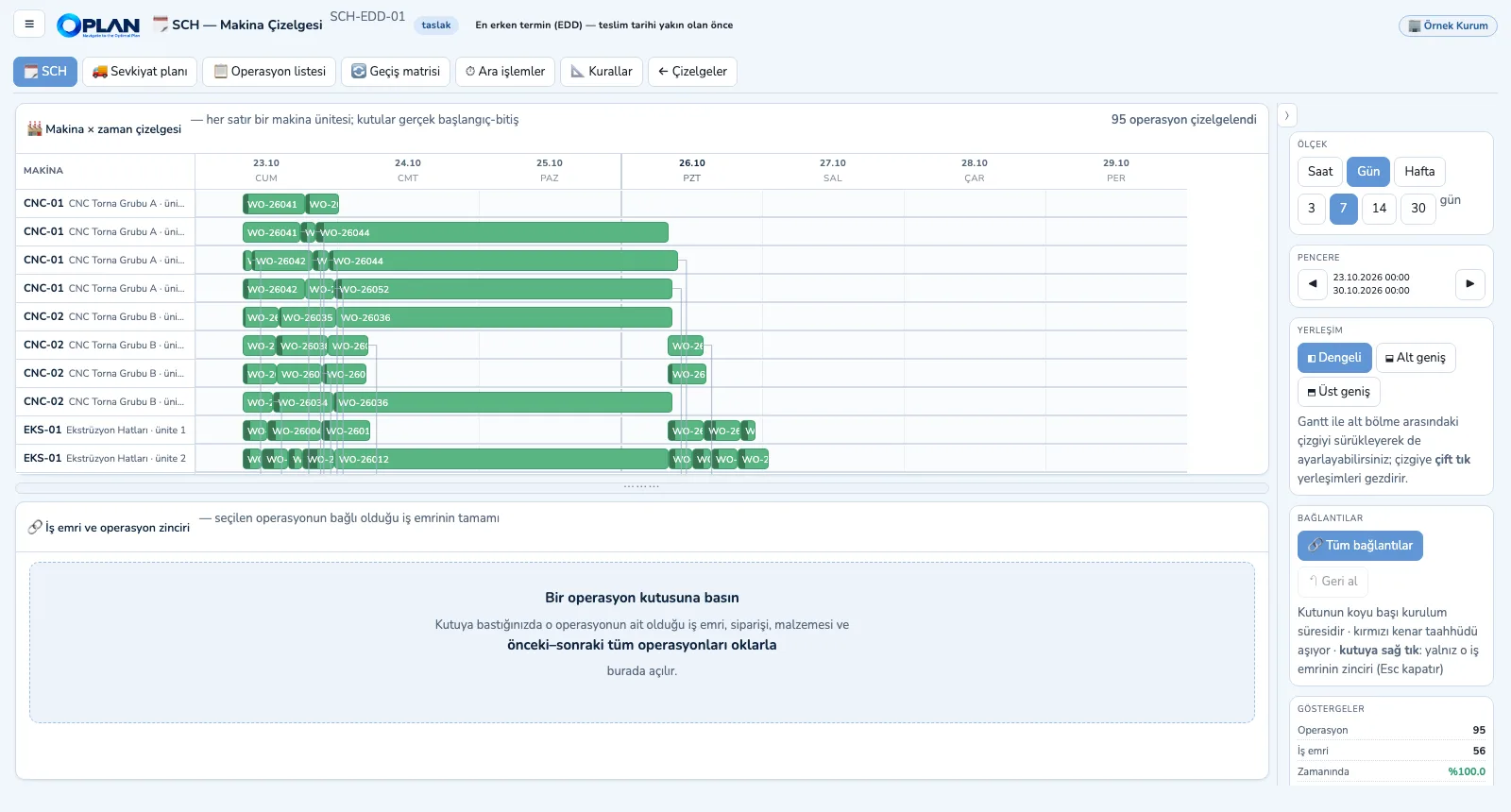
Choose the dispatching rule; all operations of open work orders are sequenced to the minute on machine units. Click a box to open the whole work-order chain.
-
2
Fill in the changeover matrix
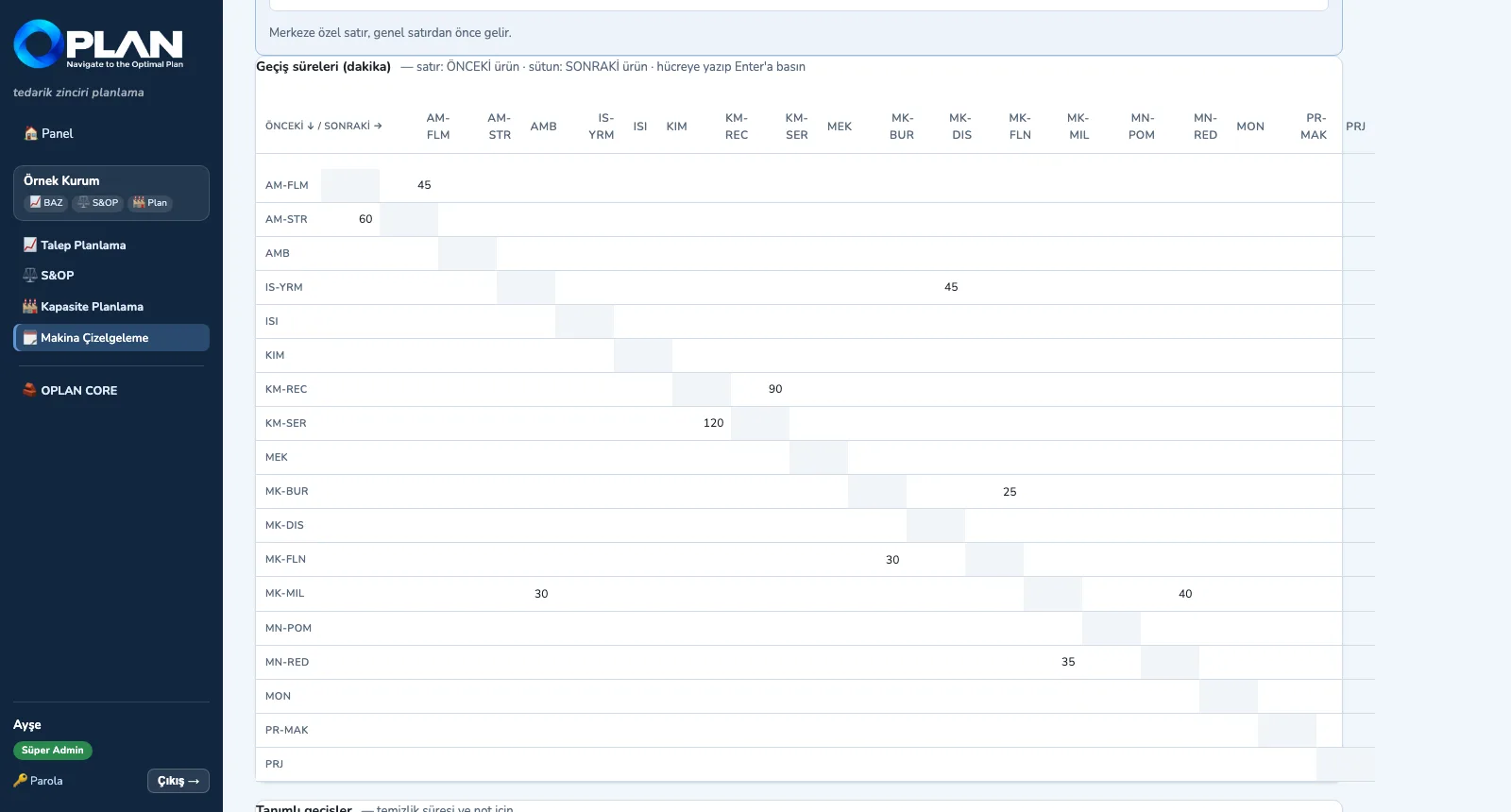
Rows are the previous item or family, columns the next; light-to-dark and the reverse can take different times.
-
3
Define intermediate operations
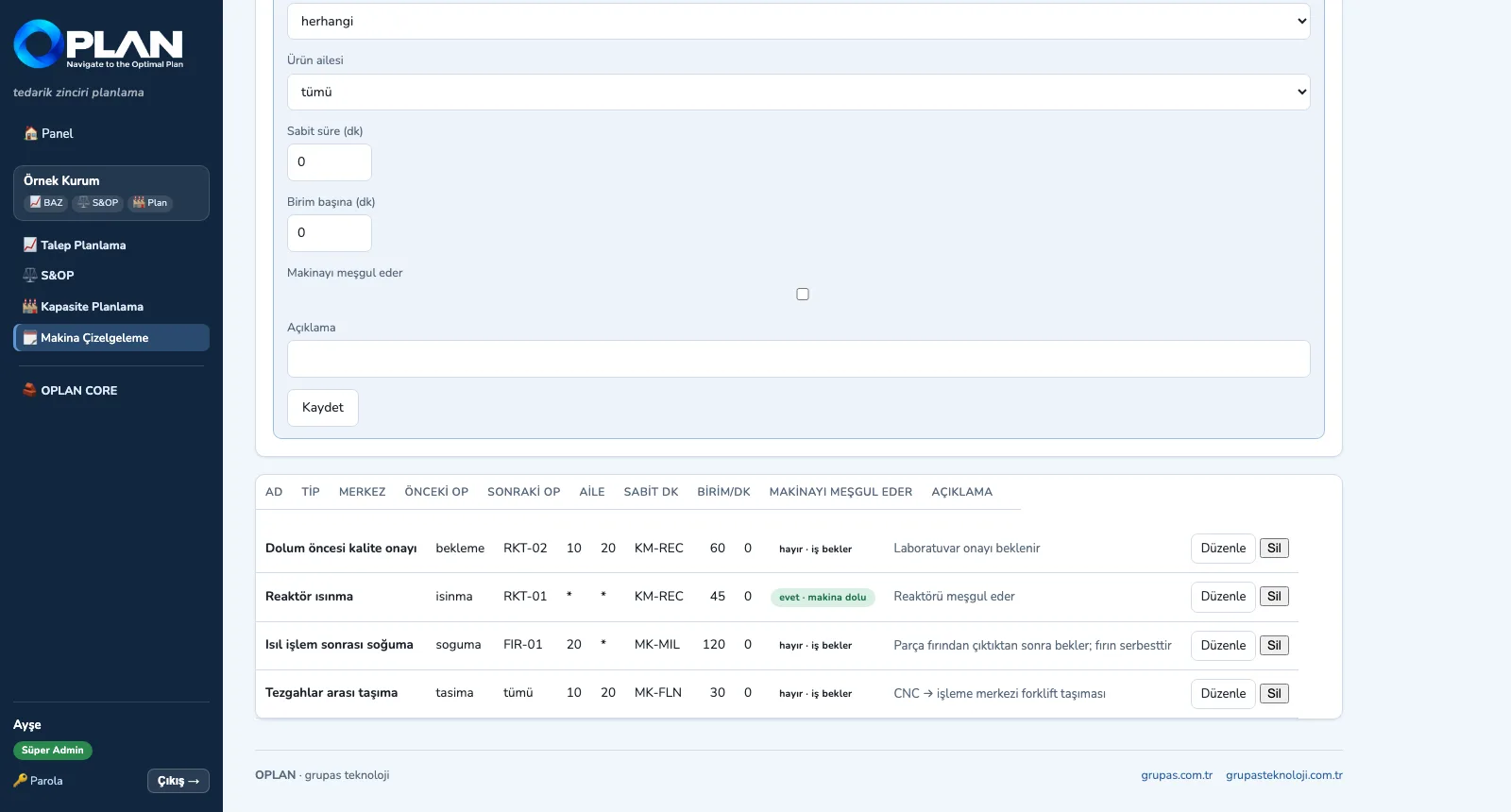
Cooling or transport makes the job wait but frees the machine; warm-up occupies the machine — the two are kept apart.
-
4
Read the ship date
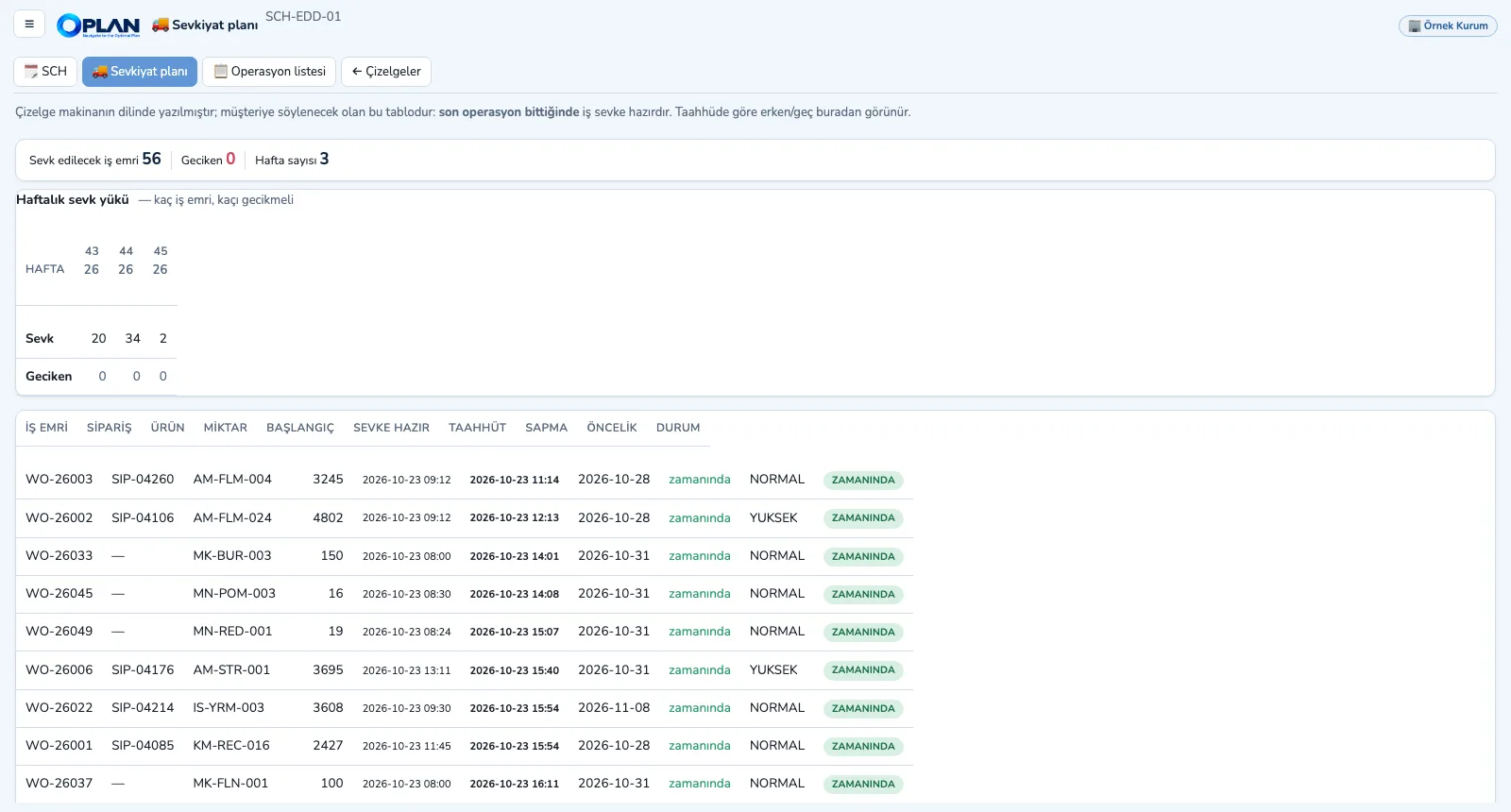
Once the last operation ends the job is ready to ship; early / late status against the promise and the weekly shipping load are in the table.
Screens are shown with sample plant data; the application interface is in Turkish.
Purpose
To make sure work that fits the week also fits once it is sequenced, balancing setup losses and lateness through rules.
Features
- Five dispatching rules: earliest due date (EDD), shortest processing time (SPT), critical ratio, order priority, setup-friendly
- Directional changeover matrix (by item or family; machine-specific or general) and cleaning time
- Intermediate operations: setup, warm-up, cool-down, transport, mandatory waiting, cleaning — split into those that occupy the machine and those that do not
- Transfer batches: long operations are split so the next machine does not wait for the whole lot; shift windows and holidays
- Gantt in hours / days / weeks, work-order and operation chain, moves and undo, operation list and shipment plan (ready-to-ship date, deviation from promise)
Benefits
- Setup losses shrink through sequencing
- The date promised to the customer comes from the schedule
- Times live in master data, not in code
Who uses it
Schedulers, production planners, shift and production supervisors, shipping.