
Four modules, one core
OPLAN CORE comes with every installation; modules are added one by one as you need them. OPLAN's modules follow the natural order of planning: forecast, balance, load, sequence — the core defines, integration connects.
Demand Planning
From past sales to a reliable demand plan: cleanse, segment, forecast, agree.
Explore BalanceS&OP — Sales and Operations Planning
Balance demand against capacity, inventory and finance in one table.
Explore LoadFinite Capacity Planning
A feasible weekly plan: which machine, which week, how much — and what was done when it did not fit.
Explore SequenceMachine Scheduling
Which job, on which machine, in which order, at what time.
Explore DefineThe OPLAN Core
The shared foundation every module runs on: master data, flow type, rule engine, plan data bus.
Explore ConnectIntegration and OPERRA
A field-by-field data contract with ERP and MES; files, REST API and OPERRA.
ExploreDemand Planning
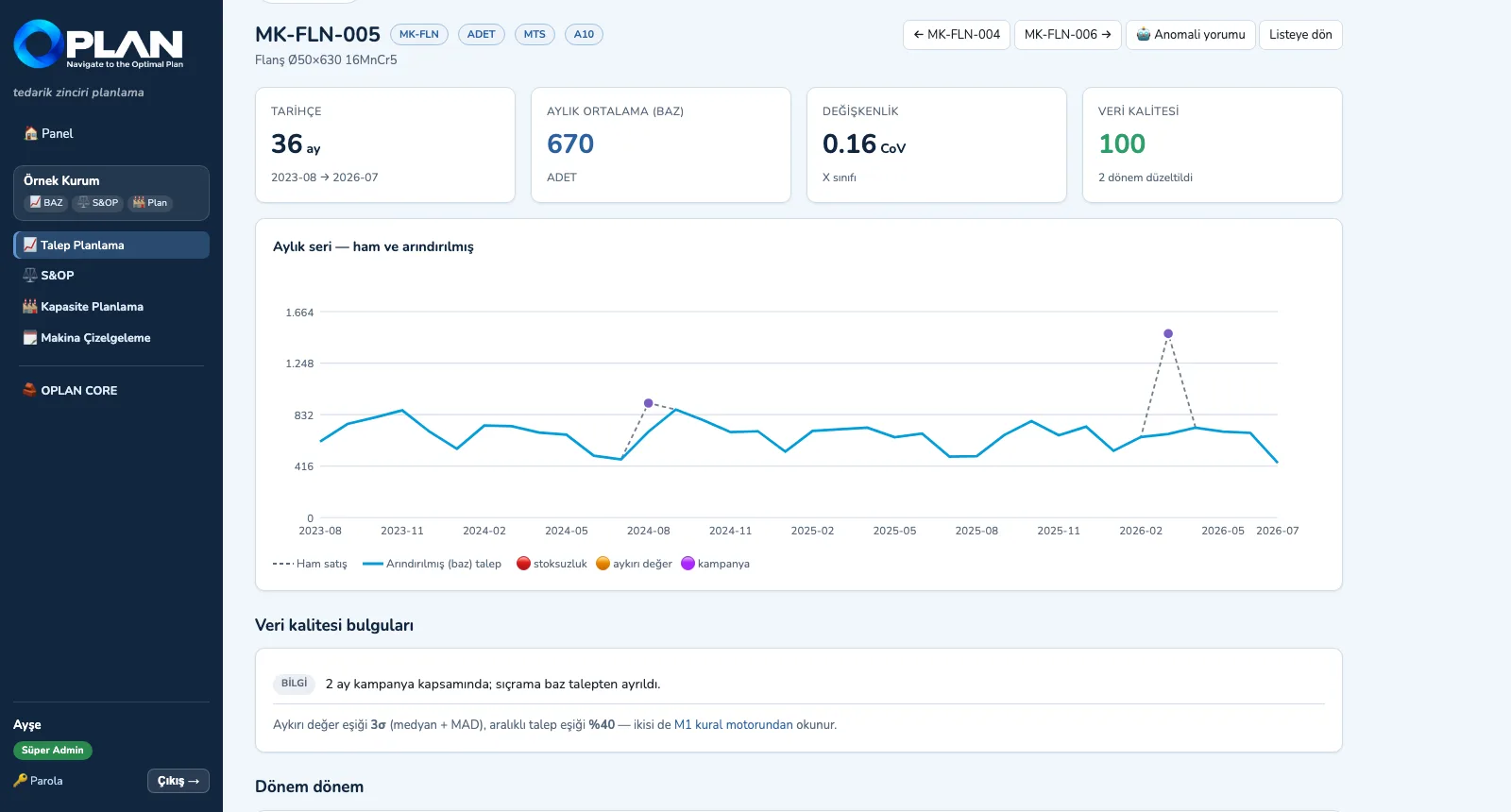
Demand Planning first cleanses the sales history (missing periods, stock-outs, promotions, outliers), classifies items with ABC-XYZ and, for every item, selects the best model from an 11-model pool by backtesting. Sales, marketing and finance inputs are kept in separate columns; the approved version feeds S&OP and the capacity plan.
- Sales history and data quality: missing periods, stock-out add-back, promotion cleansing, median + MAD outliers, working-day normalization — raw and cleansed series chart per item
- ABC-XYZ segmentation: 9 boxes, each carrying a model family, service level, review frequency and MTS / MTO policy
- 11-model forecasting engine (naive, moving averages, exponential smoothing, Holt, Holt-Winters, Croston, TSB …): backtesting, automatic selection by WMAPE with its rationale
- Demand workbench: period × item grid, statistical / sales / marketing / finance / final columns, reason-coded overrides, full audit trail, frozen horizon and override limit, version approval
- Promotion lift measurement, price elasticity and demand shaping; a lever-based scenario manager and hand-over of the approved scenario to S&OP
- KPI dashboard: WMAPE, bias, tracking signal, FVA (naive → statistical → final) and plan stability
S&OP — Sales and Operations Planning
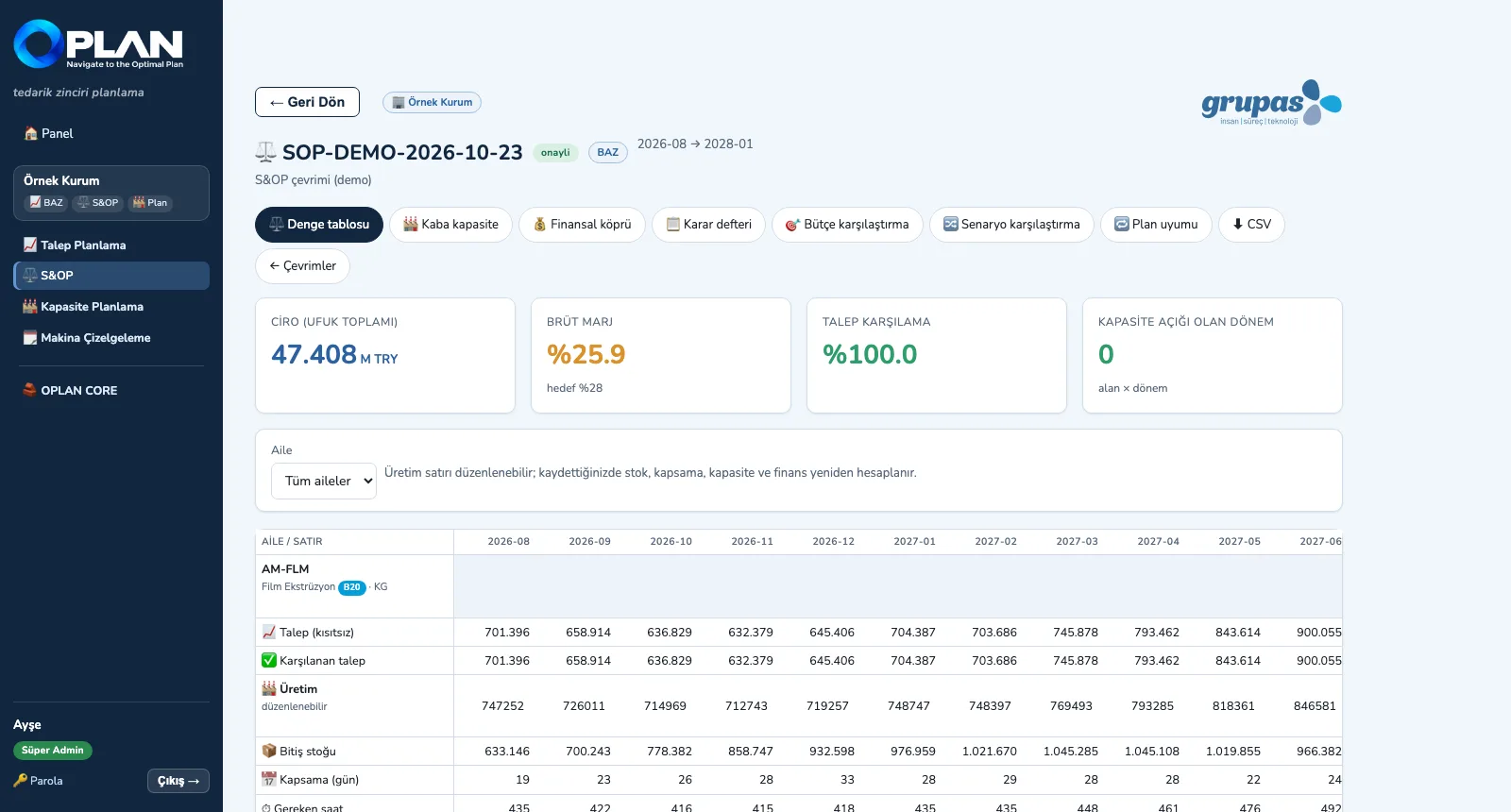
S&OP builds a 3–18-month business plan at product-family level: demand → production plan (chase, level or mixed strategy) → inventory projection → rough-cut capacity → financial bridge → balancing decision. When capacity falls short, the constrained demand shows in its own column — "planned but cannot make" is never hidden.
- Balance table: demand, fulfilled demand, production, ending stock and days of cover by family × period; the production row is editable and the chain recalculates
- Rough-cut capacity (RCCP): required / available hours and load by production area × period, against the capacity ceiling from the rule engine
- Financial bridge: revenue, cost, gross margin and unserved revenue by period and family
- Budget / target comparison, scenario comparison (what breaks in which scenario) and plan stability (churn) across consecutive cycles
- Decision log (who, what, by when) and an AI-drafted S&OP meeting summary; the approved plan is written to the core's plan data bus
Finite Capacity Planning
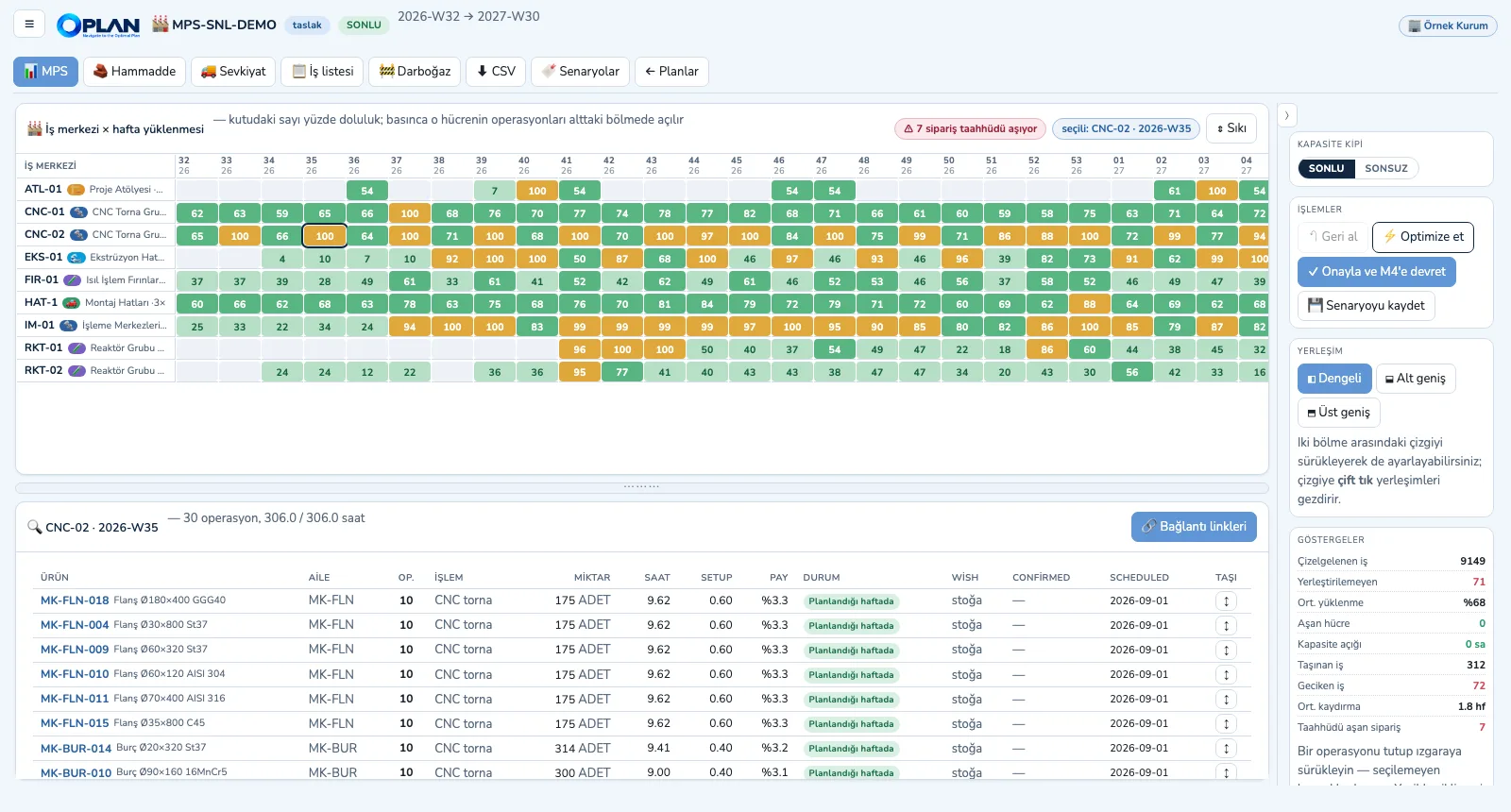
Finite Capacity Planning breaks the approved S&OP (or else the demand plan) down to SKUs, splits it into weeks, batches it by flow type (batch multiples, minimum continuous campaigns, discrete MOQ), loads it onto work centres through multi-operation routings and balances with finite capacity: pull forward → alternative machine → push back. No cell exceeds 100%; work that does not fit is reported openly.
- Work centre × week load board: boxes coloured by load band, cell drill-down with item, operation and share of hours, and the batch's chain across other machines
- Finite and infinite mode: finite gives the feasible plan, infinite shows the raw capacity need (for investment, shift and outsourcing decisions)
- Drag-and-drop and manual moves: an off-routing machine, operation precedence or unavailable material BLOCKS; capacity overload and shift limits WARN; undo
- Bottleneck report, raw-material Gantt (receipts, consumption, projected balance, minimum-level breaches) and shipment plan (by criterion and vehicle type)
- Scenario saving and KPI comparison, the published master production schedule (MPS), approval and hand-over to Machine Scheduling; CSV
Machine Scheduling
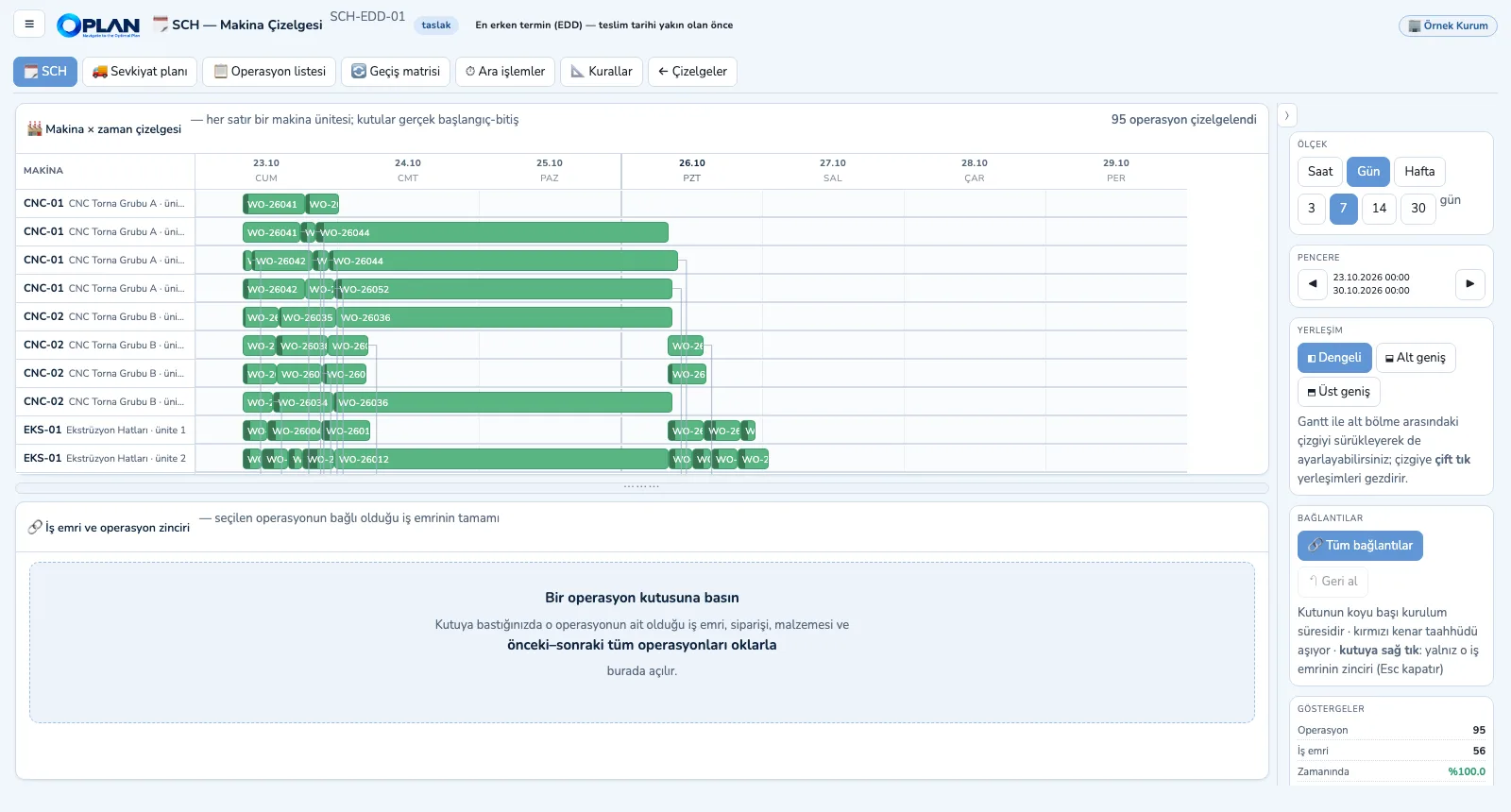
Machine Scheduling moves from the capacity plan's weekly bucket to the hour: each machine unit is its own lane, and operations are sequenced forward with finite capacity. Setup time depends on the product sequence (directional changeover matrix); warm-up, cool-down, transport times between operations and the working calendar are taken into account.
- Five dispatching rules: earliest due date (EDD), shortest processing time (SPT), critical ratio, order priority, setup-friendly
- Directional changeover matrix (by item or family; machine-specific or general) and cleaning time
- Intermediate operations: setup, warm-up, cool-down, transport, mandatory waiting, cleaning — split into those that occupy the machine and those that do not
- Transfer batches: long operations are split so the next machine does not wait for the whole lot; shift windows and holidays
- Gantt in hours / days / weeks, work-order and operation chain, moves and undo, operation list and shipment plan (ready-to-ship date, deviation from promise)
The OPLAN Core
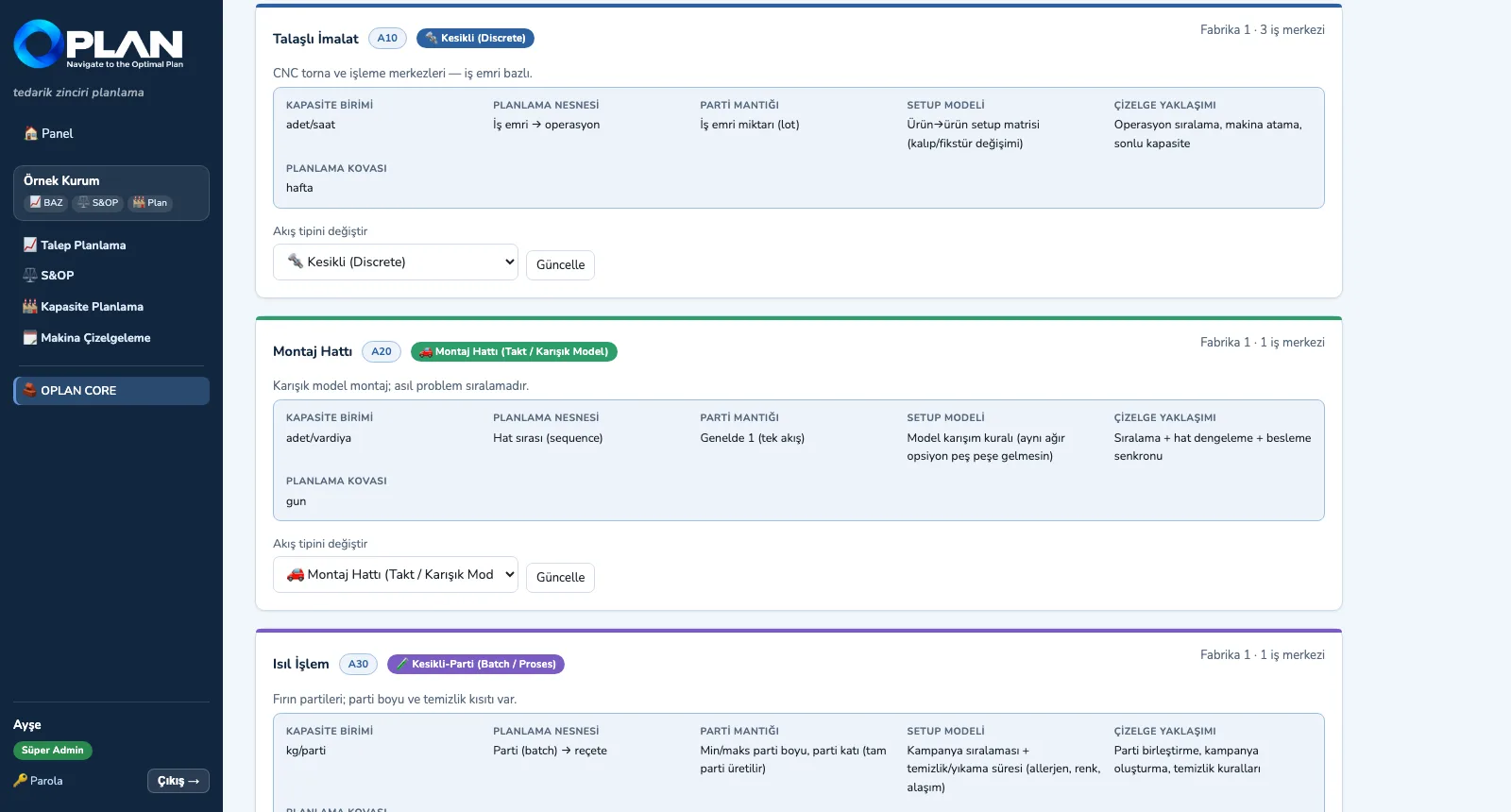
OPLAN CORE is the mandatory, separately licensed core, installed with the first module. Master data, production structure and process flow type, the rule engine, the scenario and version framework, identity and multi-tenancy, KPI infrastructure and the AI service live here. Modules connect through the core's plan data bus, not directly — so a single-module installation works fully.
- Production structure: Site → Production Area → Work Centre; the process flow type is chosen per area (discrete, batch, continuous, assembly line, project / ETO)
- Master data: items and hierarchy, customers, locations / warehouses, unit conversions, working calendar — manual entry, search, CSV template, upload and download
- Rule engine: constraint (cannot be broken), rule (can be relaxed with a reason), preference (weighted); a ready rule catalogue per module
- Plan data bus and hand-over points: demand, S&OP and production plans in shared tables; a missing module is replaced by integration, a file or manual entry
- Identity and multi-tenancy: company separation, seven roles, per-module license control and an activity log
Integration and OPERRA
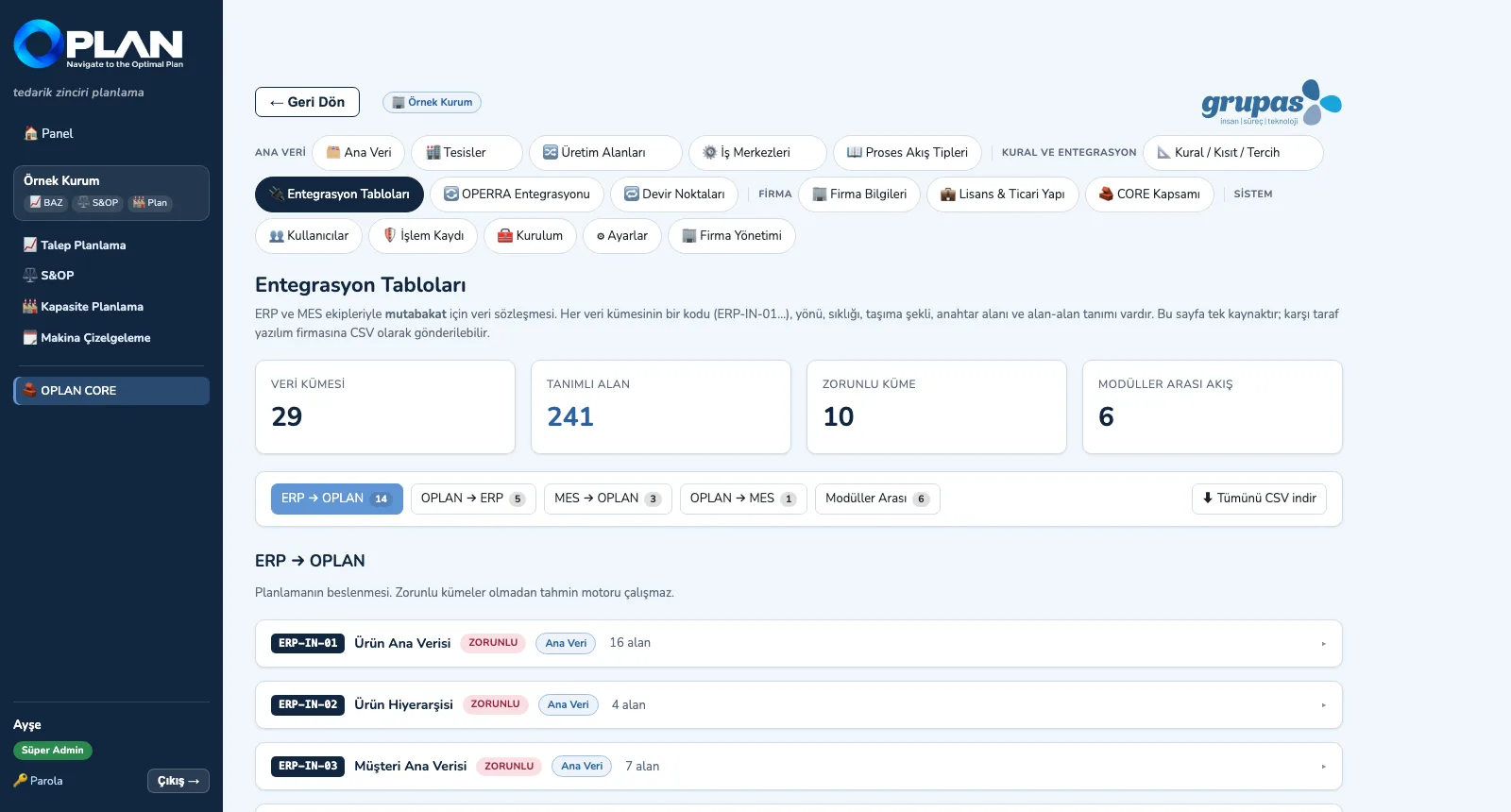
The integration layer defines 29 data sets and 241 fields in one contract: ERP → OPLAN (14), OPLAN → ERP (5), MES → OPLAN (3), OPLAN → MES (1) and between modules (6). Each set — with its code, direction, frequency, transport and fields — is sent as CSV to the other side's software team; data arrives by file, REST API or manual entry.
- Integration tables: set code (ERP-IN-01 …), purpose, mandatory flag, frequency, transport, key field and field-by-field definition; all downloadable as CSV
- Transport options: CSV / Excel file, REST API (JSON), database view or manual entry
- Field mapping: the ERP column name and a fixed value; the mapping applies to both CSV uploads and the REST API
- Token-protected REST API: read / write input sets, fetch the approved demand plan and the other output sets
- OPERRA integration: master data, order book and work orders are pulled one way from OPERRA; if OPERRA is down, OPLAN keeps running on the data it has
See your plan in OPLAN
Write to us for a live walkthrough on sample plant data.