
From demand to the machine,
a feasible plan on real capacity
OPLAN turns sales history into a demand forecast, balances demand against capacity, inventory and finance in S&OP, loads the plan by work centre × week with finite capacity and schedules the machines minute by minute. Discrete, batch, continuous, assembly-line and project production are planned together in the same plant.
A plan belongs on real capacity, not in a spreadsheet
OPLAN links demand, S&OP, capacity and scheduling through the same master data and the same rules; each step's output becomes the next one's input, and nobody has to ask which number is right.
- Forecasts are made from raw sales full of promotion spikes and stock-out dips; nobody knows why a number came out.
- The S&OP meeting talks volume; capacity gaps and margin impact only show up after the meeting.
- Capacity is assumed infinite; the weekly plan cannot be executed and the bottleneck is noticed when shipments are late.
- The machine sequence lives in the planner's head; setup and changeover times and material status never enter the plan.
Four modules, one core
OPLAN's modules follow the natural order of planning: forecast, balance, load, sequence — the core defines, integration connects.
Demand Planning
From past sales to a reliable demand plan: cleanse, segment, forecast, agree.
Explore BalanceS&OP — Sales and Operations Planning
Balance demand against capacity, inventory and finance in one table.
Explore LoadFinite Capacity Planning
A feasible weekly plan: which machine, which week, how much — and what was done when it did not fit.
Explore SequenceMachine Scheduling
Which job, on which machine, in which order, at what time.
Explore DefineThe OPLAN Core
The shared foundation every module runs on: master data, flow type, rule engine, plan data bus.
Explore ConnectIntegration and OPERRA
A field-by-field data contract with ERP and MES; files, REST API and OPERRA.
ExploreA tour of the screens
Pick a module and click the steps; click an image to enlarge it.
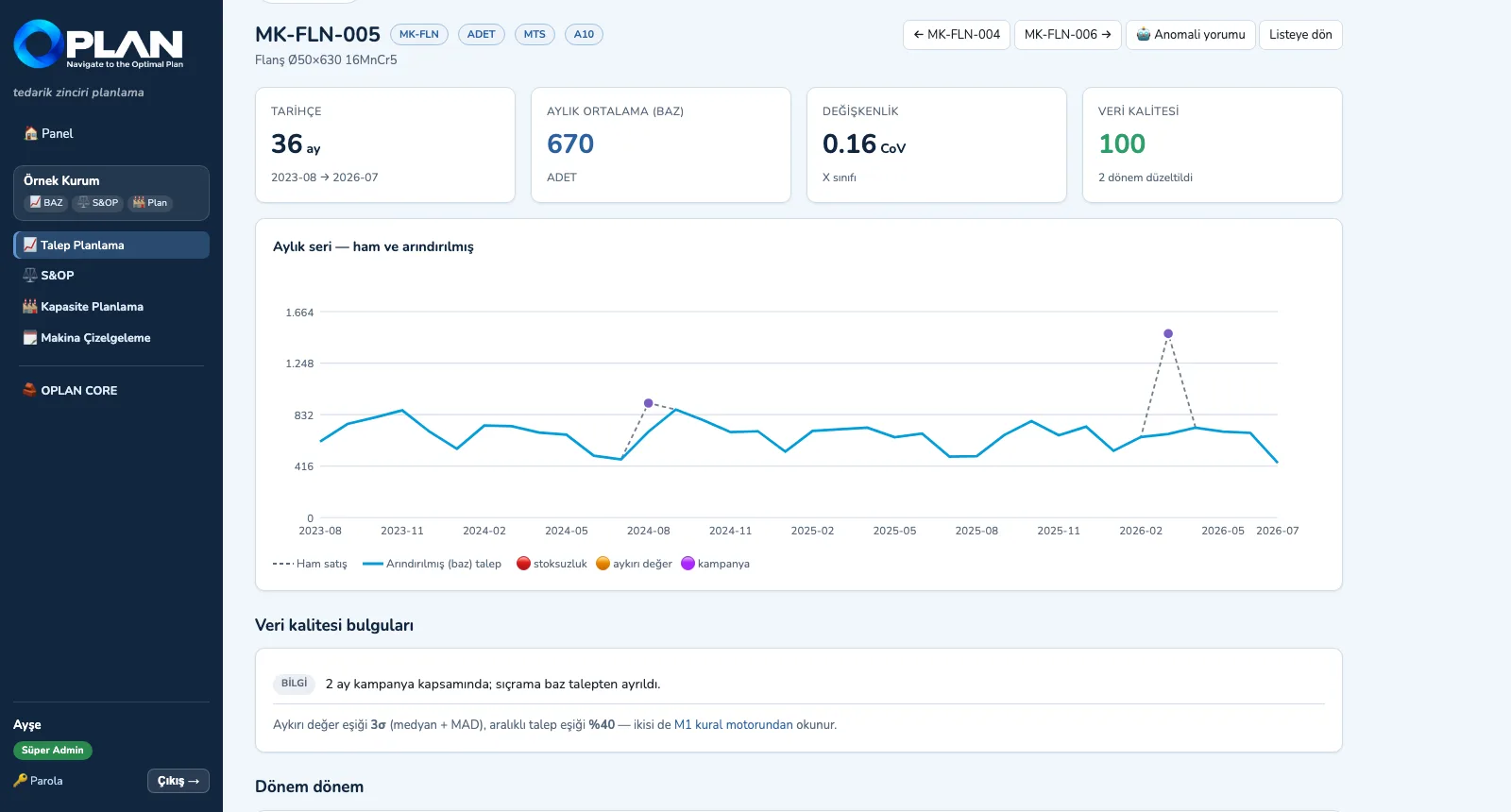
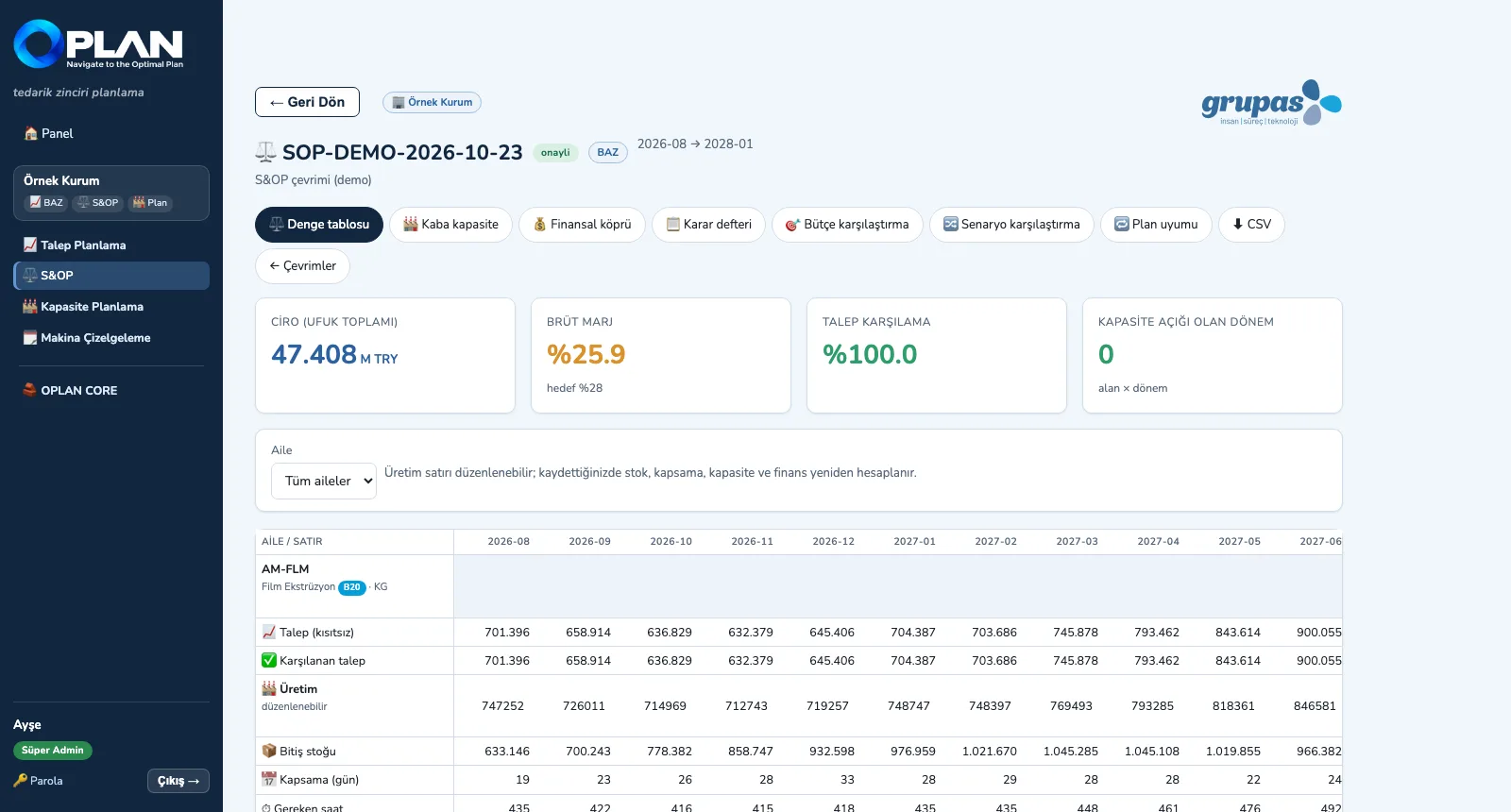
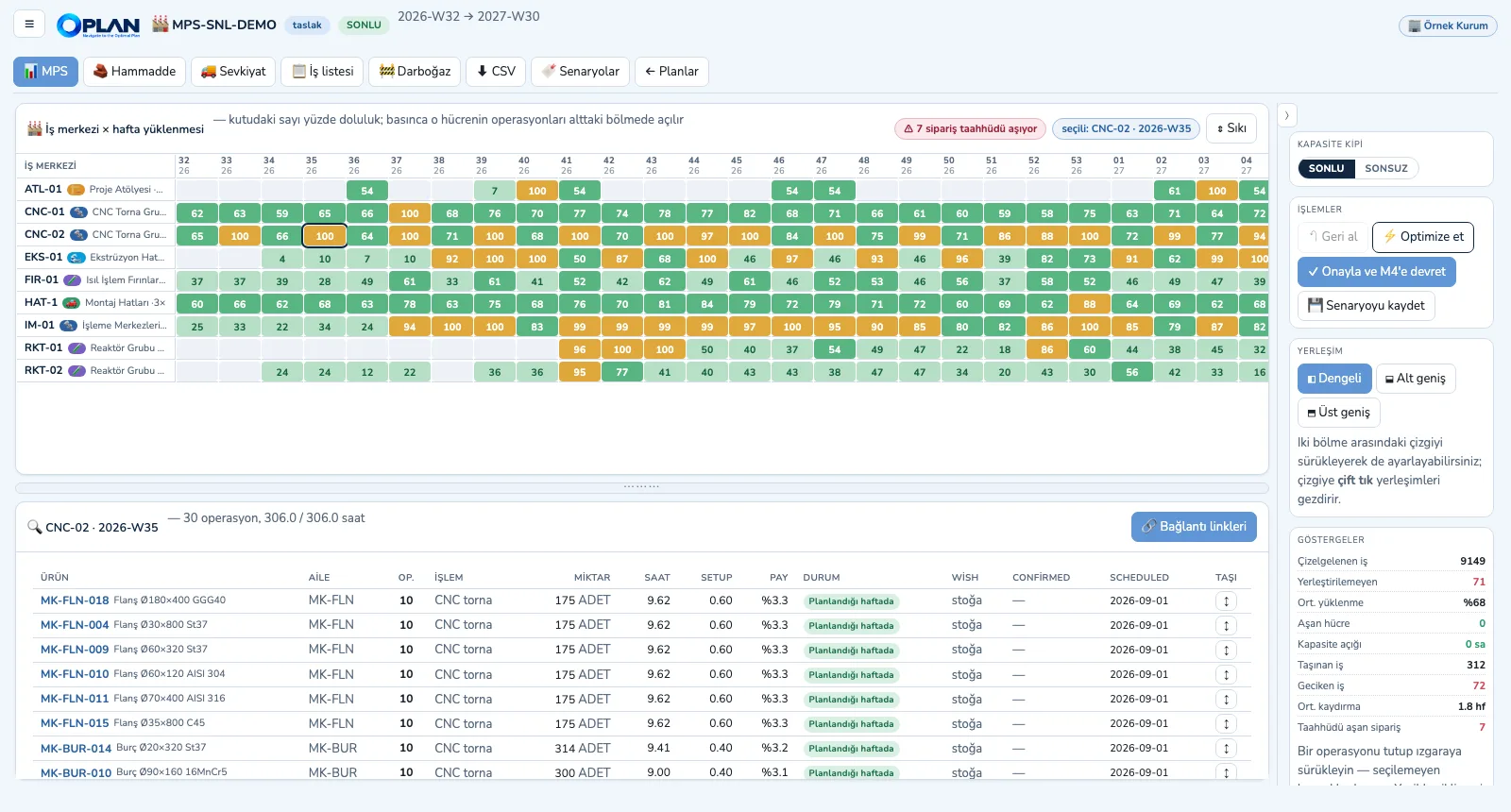
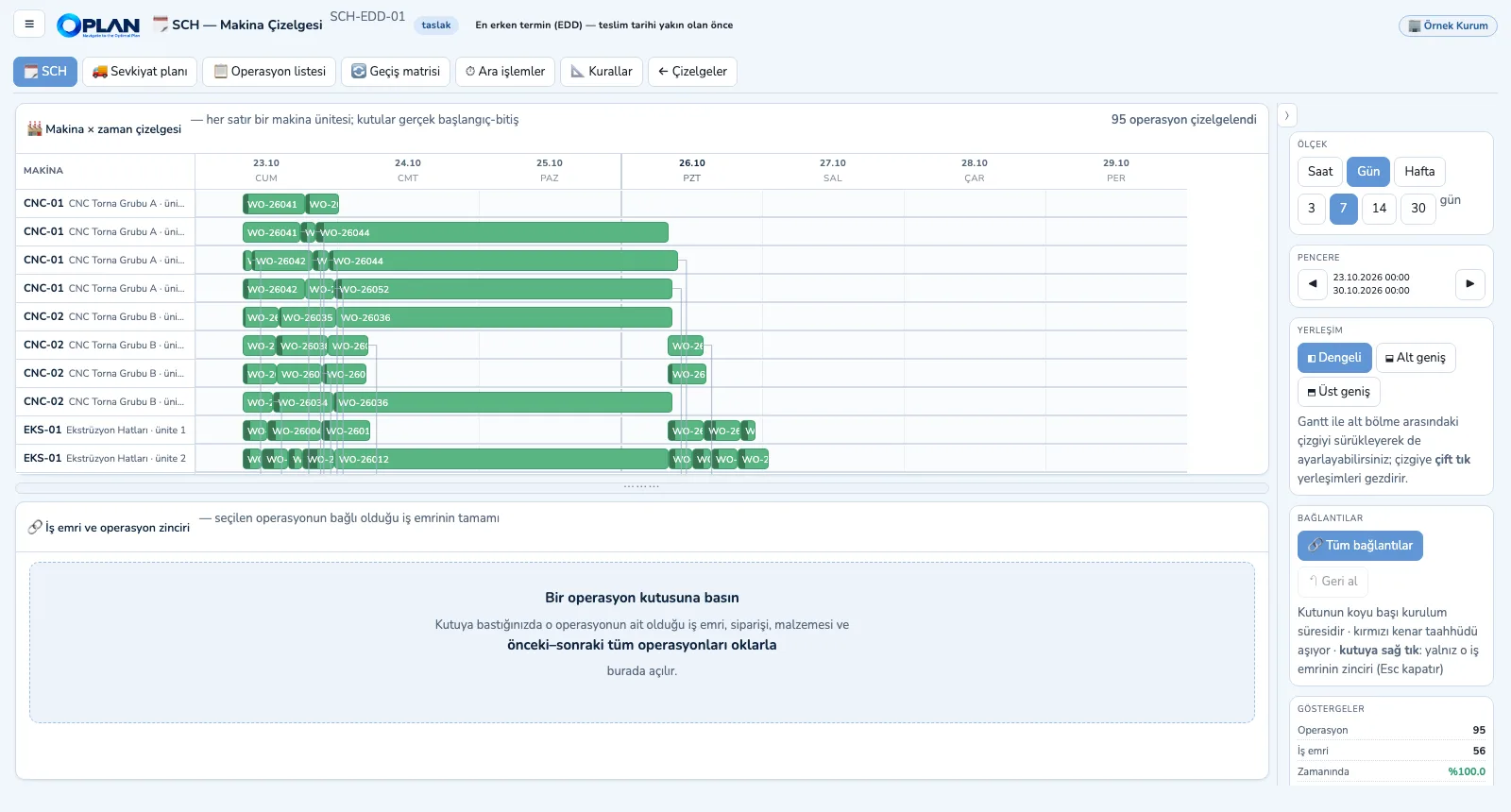
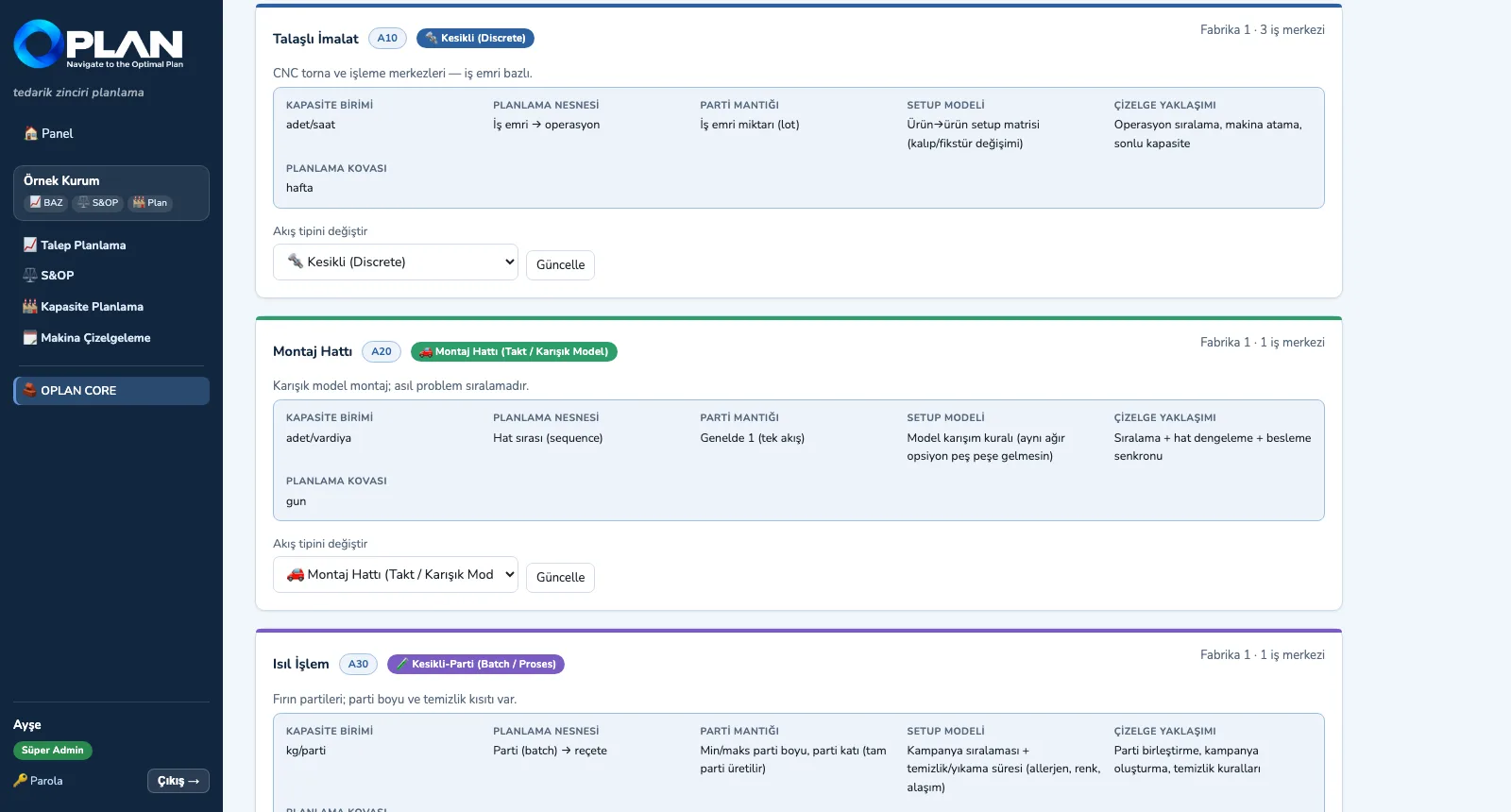
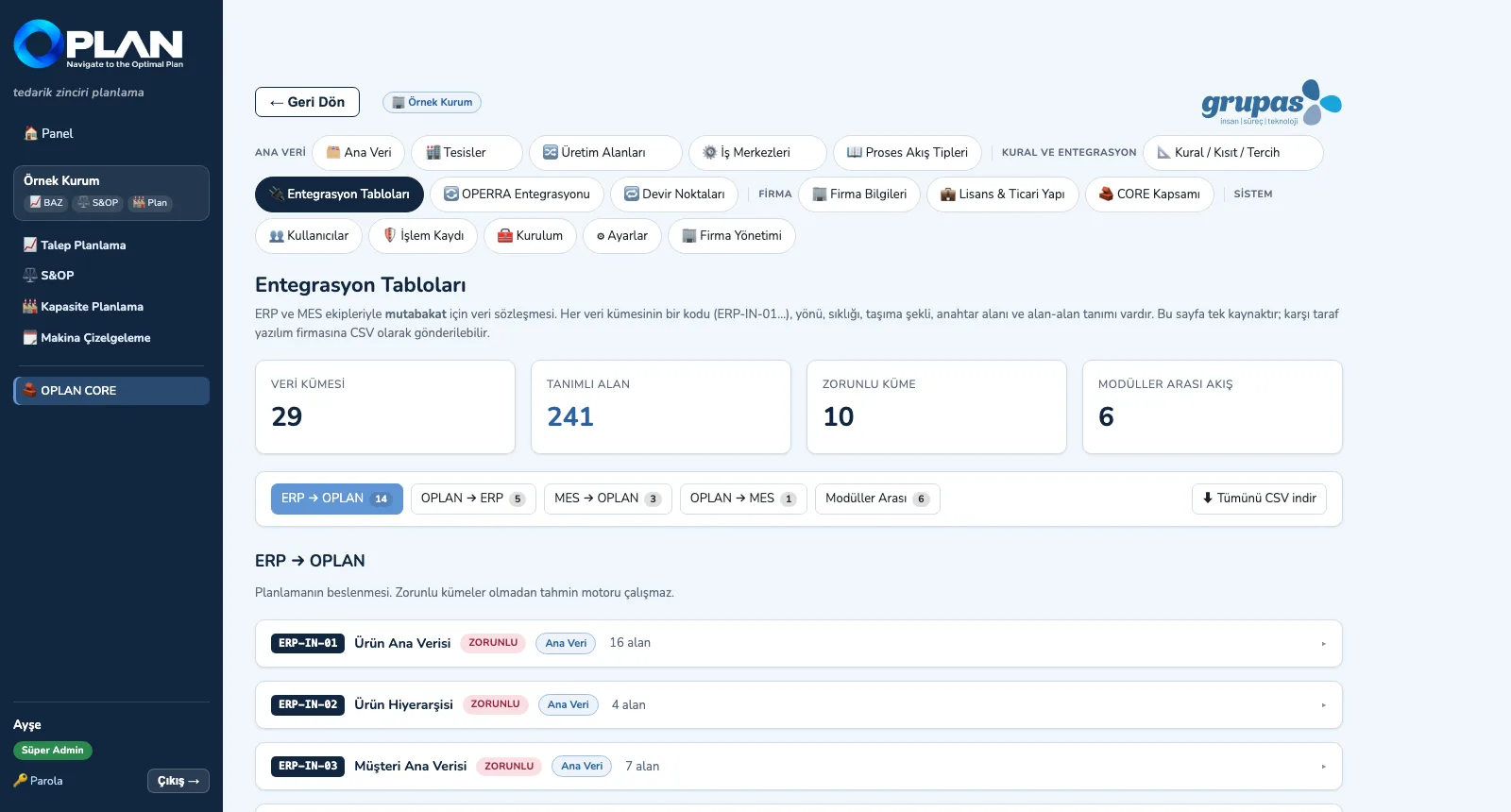
Screens are shown with sample plant data; the application interface is in Turkish.
What it brings your planning team
Shared core, separate modules
Modules read and write through the core's plan data bus; start with one and add the others without data migration.
Each area with its own flow type
Discrete, batch, continuous, assembly-line and project areas in one plant; capacity unit, batching and setup model follow the type.
Forecasts with their reasons
An 11-model pool, a cleansed series and backtesting; why the model was chosen and what overrides contribute (FVA) are on screen.
Volume, revenue and margin in one table
S&OP balance table, rough-cut capacity, financial bridge and budget comparison in one cycle; constrained demand in its own column.
Capacity gaps never hidden
Finite mode gives the feasible plan, infinite mode the raw need; work that does not fit stays out of the plan, in the bottleneck report.
Constraint-checked manual moves
Drag-and-drop checks routing, operation precedence and material; the impossible is blocked, choices are warned, and everything can be undone.
Scheduling to the minute
Directional changeover matrix, intermediate operations, transfer batches, shift and holiday calendar; a machine schedule with one of five rules.
Contract-based ERP / MES integration
29 data sets defined field by field; CSV / Excel, REST API and field mapping included in the core, a one-way link with OPERRA.
For manufacturers of every process flow type
Discrete and assembly manufacturing
Machining, metalworking, machinery, automotive suppliers, plastic injection, white goods and electronics assembly.
Process, batch and continuous production
Chemicals, paints, food, pharmaceuticals, foundry, heat treatment; extrusion, rolling, paper, glass, cement and weaving.
Project-type and mixed plants
Engineer-to-order machinery, tool shops, steel construction; companies running several flow types in the same site.
- Demand and S&OP planners
- Production planning and scheduling teams
- Plant, operations and supply chain managers
- Finance, IT / ERP teams and consultants
Core + modules, the license that fits you
Add the modules you need to OPLAN CORE; choose your license model and we will prepare a quote for your sites and users.
Frequently asked questions
What is OPLAN?+
Can I buy the modules separately?+
Which types of production does it suit?+
How is the demand forecast made?+
What is the difference between finite and infinite capacity?+
See your plan in OPLAN
Write to us for a live walkthrough on sample plant data.